
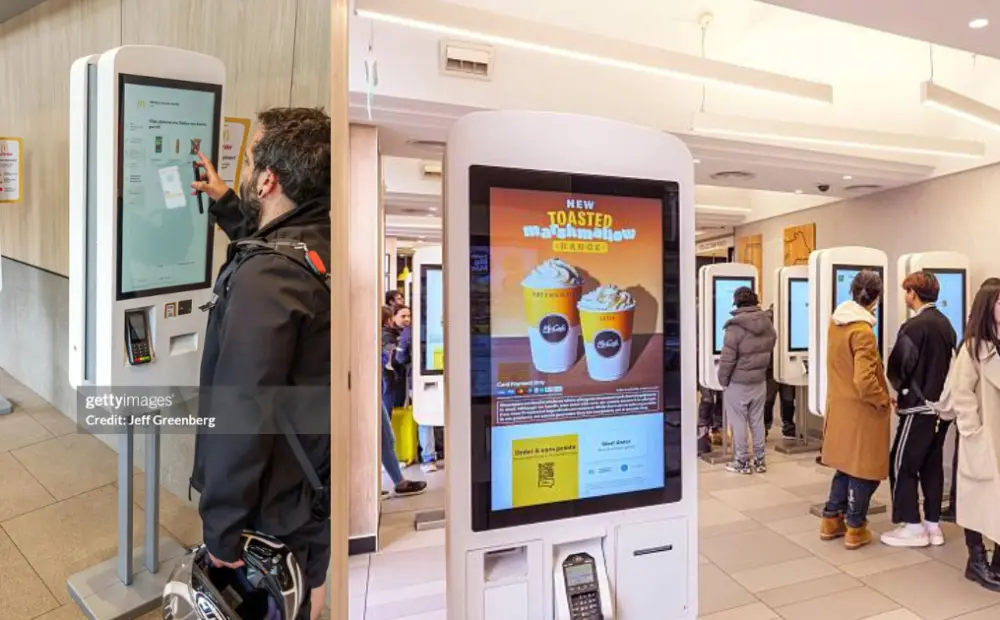
You hire more staff to handle rush hours. Still, lines move slowly. Orders pile up. Labor costs climb, but service does not improve. This gap cuts into your profit every day. McDonald’s solved this at scale. Its stores handle large crowds without heavy reliance on cashiers. The system runs on clear processes and smart kiosk use.
This guide explains how that works. You will see how kiosks reduce labor costs, how they change staff roles, and how the numbers compare to hiring more employees.
Why Fast Food Chains Are Accelerating Automation
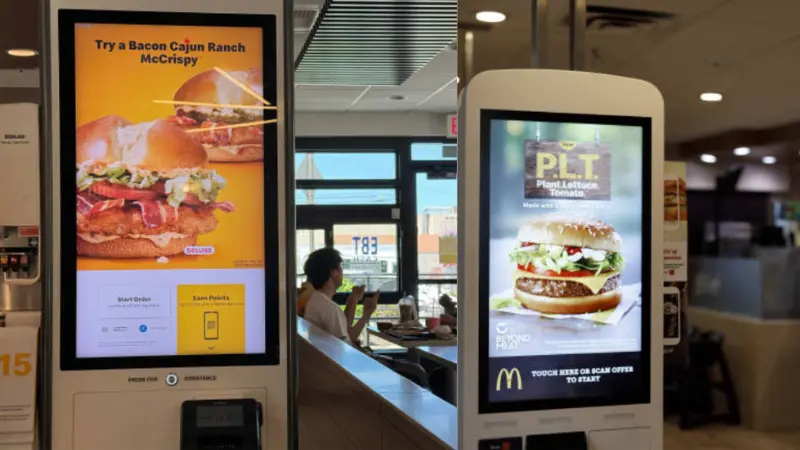
Labor costs keep rising. Service speed still decides who wins. Many stores struggle to balance both. This pressure pushes operators to change how orders move through the store. Automation now solves real cost and speed problems.
Rising Labor Costs Put Pressure on Every Shift
Running a QSR requires staff across multiple shifts. Costs add up fast, even before peak hours.
- Hourly wages rise each year in many markets
- Stores need staff for morning, lunch, and late hours
- Extra staff during rush hours increases the daily payroll
- Thin margins leave little room for error
Operators cannot keep adding staff to fix service delays. The model stops working at scale.
Staff Shortages Create Daily Operational Gaps
Hiring remains a constant challenge. Many stores do not stay fully staffed for long.
New hires need training. Some leave within weeks. This cycle repeats often. Service quality drops when teams change too often. Managers spend more time fixing staffing gaps than improving operations.
Peak Hours Expose Ordering Bottlenecks
Most stores handle a steady flow during off-peak hours. The real problem starts during rush periods.
Customers line up at the counter. One cashier handles one order at a time. This slows everything down. Some customers leave instead of waiting. Each delay means lost revenue that day.
Shift Toward Digital Ordering Systems
Restaurants are now moving toward digital systems to better handle order volume.
- POS systems improved order tracking and speed
- Kiosks allow multiple customers to order at once
- Mobile apps extend ordering beyond the store
- Systems now connect into one flow across channels
Kiosks often act as the first step. They relieve pressure on the counter and create a foundation for further automation.
What Is a McDonald’s Self-Service Ordering Kiosk (And How It Works in Real Stores)
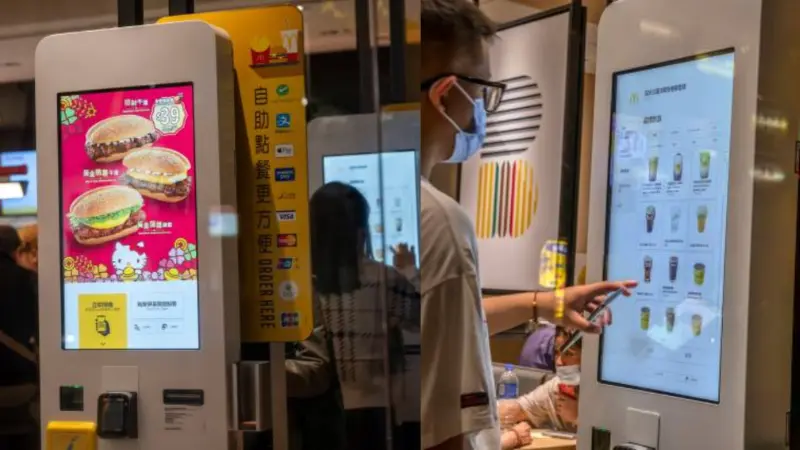
A McDonald’s self-service kiosk replaces the order-taking role at the front counter. It lets customers place and pay for orders on a screen. Staff no longer need to take every order. The system connects directly to the kitchen, so orders move faster and with fewer errors.
Core Components That Drive Speed and Order Accuracy
Each part of the kiosk supports fast and consistent ordering.
- Touchscreen interface: Large, clear screens guide the customer step by step
- Menu system: Shows combos, upgrades, and add-ons to increase order value
- Payment system: Accepts cards and contactless payments without staff help
- POS and kitchen link: Sends orders straight to the kitchen for preparation
These parts work together to remove delays and reduce manual input.
6 Steps Ordering Flow Inside the Store
The kiosk follows a clear and repeatable process.
- The customer walks to the kiosk and skips the counter line
- The screen shows menu items with images and pricing
- Customer selects items and adds extras or upgrades
- Payment happens at the kiosk
- Order goes directly to the kitchen system
- Customer receives a number and waits for pickup
This flow allows many customers to place orders simultaneously. It removes the single-cashier limit.
Kiosks Replace Order Taking, Not the Entire System
Kiosks do not remove staff from the store. They shift staff to better roles.
They work alongside counter staff, kitchen teams, and mobile orders. Staff focus more on food prep and order handling. The front counter no longer acts as the main bottleneck.
How McDonald’s Uses Kiosks to Reduce Labor Costs (Operational Breakdown)
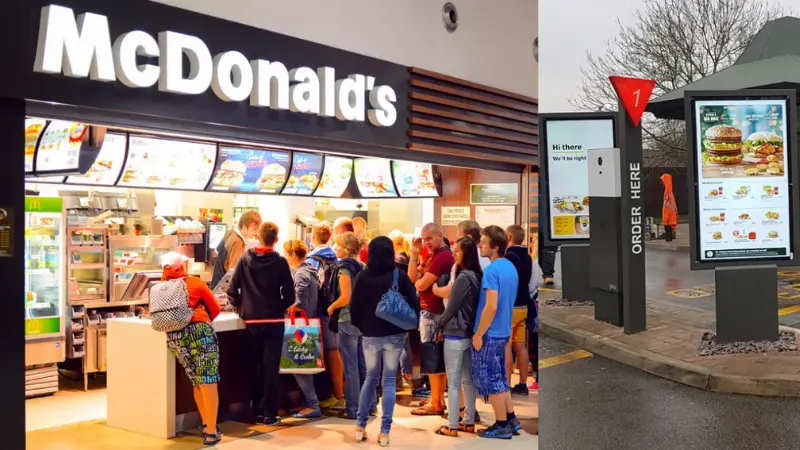
Kiosks do not simply remove staff. They change how labor works inside the store. McDonald’s uses kiosks to shift work away from the counter and into faster, more productive areas. This improves output per employee. It also reduces the need to add staff during busy hours.
Fewer Cashiers Needed at the Front Counter
Kiosks take over the order-taking role. This reduces pressure on the front counter.
Instead of 3–4 cashiers, stores can operate with fewer people at the register. Staff do not disappear. They move to other tasks that support order flow.
Industry analysis shows that kiosks help free up employees for other roles rather than fully replacing them. This shift matters more than simple headcount reduction.
Staff Shift to Higher-Value Tasks Inside the Store
Once kiosks handle orders, staff focus on tasks that keep service moving.
- Food preparation in the kitchen
- Order assembly and packaging
- Drive-thru support during peak hours
This improves overall speed. It also supports higher-order volume without adding new hires.
Faster Order Intake Increases Orders Per Hour
A cashier can handle one order at a time. Kiosks remove this limit.
Multiple customers can place orders at the same time. This increases the total number of orders during rush hours. Studies show that kiosks increase transactions and overall sales, thereby improving output per labor hour.
More orders per hour means better use of the same staff.
Peak-Hour Efficiency Without Extra Hiring
Rush hours create the biggest labor challenge. Many stores overstaff to manage short spikes in demand.
Kiosks reduce this need.
- Customers are spread across multiple ordering points
- Lines move faster without adding staff
- Managers schedule fewer extra shifts
This keeps labor costs stable even during busy periods.
Consistent Order Taking Without Staff Dependency
Human order taking depends on speed and experience. This creates variation.
Kiosks follow the same process every time. Orders go directly to the kitchen system. This reduces errors and delays. Research shows that digital ordering improves accuracy and supports smoother operations in fast-food environments.
Restaurant Kiosk Cost vs Staff (Realistic Cost Breakdown)
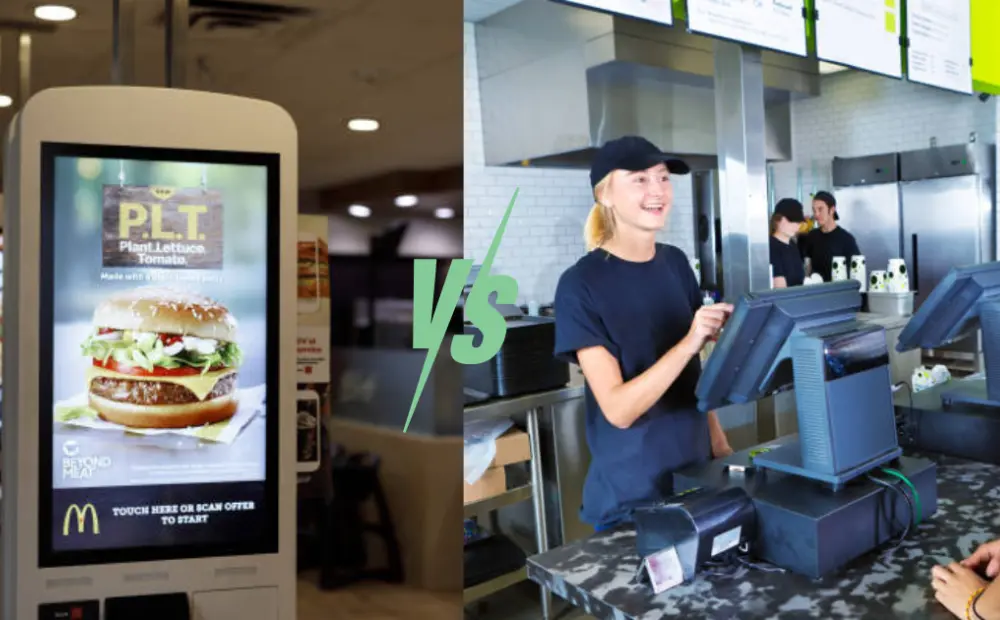
Most operators ask one question first. Is a kiosk cheaper than staff? The answer depends on store volume and staffing levels. You need a clear view of both sides before you decide.
Typical Self-Service Kiosk Cost Structure
Kiosk cost comes from four main parts. You pay upfront and then ongoing fees.
- Hardware (per unit): Screen, stand, payment device
- Software: Monthly or yearly fee for the system
- Installation and integration: Set up with the POS and kitchen system
- Maintenance and support: Repairs, updates, and service
A single kiosk can cost a few thousand dollars upfront. Ongoing software and support add a fixed monthly cost.
True Cost of Restaurant Staff
Staff cost goes beyond hourly wages. Many hidden costs add up over time.
- Wages: Paid per hour across all shifts
- Training: Time and cost to train new hires
- Turnover: Hiring and onboarding again and again
- Idle time: Staff remain on payroll during slow hours
These costs continue every month. They increase as you add more shifts or extend hours.
Cost Comparison Scenario (Simple Model)
Here is a simple example for a busy store:
| Cost Factor | Kiosks (2 Units) | Staff (2 Cashiers) |
|---|---|---|
| Upfront Cost | High (one-time) | None |
| Monthly Cost | Low to moderate | High (wages + overhead) |
| Annual Cost Growth | Stable | Increases with wage changes |
| Peak Hour Cost Impact | No extra cost | Requires more staff |
| Long-Term Cost | Decreases over time | Keeps increasing |
If you replace 2–3 cashiers per shift, the savings grow fast. Multiply this across daily shifts and full-year operations.
When Kiosks Become Cost-Effective
Kiosks do not pay back in the first few months. Most stores see returns over time. Payback period often falls between 12 and 24 months. And if you own a high-volume store, you’ll recover costs faster. After the payback period, kiosks reduce ongoing labor pressure and improve cost control.
Benefits of Self-Ordering Kiosks Beyond Labor Cost
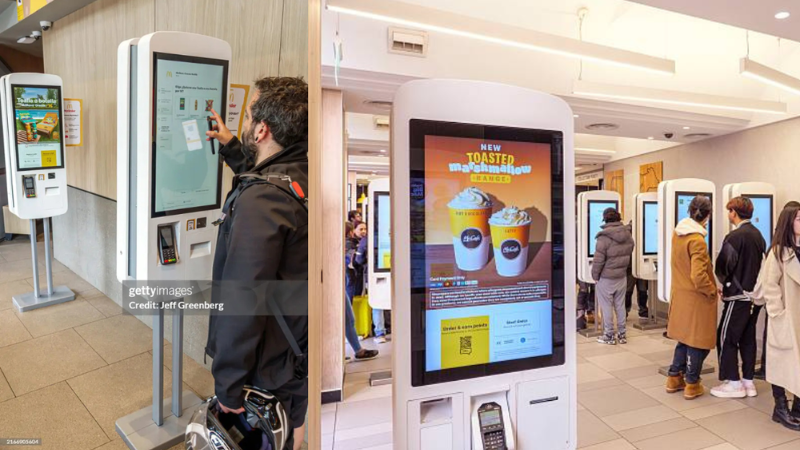
Labor savings get most of the attention. But kiosks also improve revenue, speed, and customer experience inside the store. These gains often matter just as much as cost reduction. They help operators increase output without adding pressure on staff.
Higher Average Order Value (AOV)
Kiosks increase how much each customer spends. They do this consistently.
Upsell prompts appear on every order. Customers can clearly see add-ons, combos, and upgrades on the screen. Staff often skip upsells during busy hours. Kiosks do not.
Research shows that kiosks can increase order value by 15–25% in many QSR settings. Some studies also report up to a 30% increase in average order size due to better upsell flow.
Faster Ordering Speed and Shorter Queues
Speed directly affects revenue in fast food. Kiosks remove delays at the counter.
Multiple customers can order at the same time. This reduces waiting time and keeps lines moving. Faster ordering also means more completed transactions. According to Inseeogitital, kiosks can reduce ordering time by up to 40%, improving overall service speed. Faster service reduces walkaways and lost sales.
Improved Order Accuracy
Order mistakes cost time and money. They also hurt customer trust.
Kiosks remove verbal errors. Customers select items themselves and confirm before payment. Orders go straight to the kitchen system without manual input.
This process improves accuracy and reduces rework during busy hours. Fewer mistakes mean smoother operations and less waste.
Better Customer Experience
Customers prefer control when they order. Kiosks give them that control.
They can browse at their own pace. They can customize orders without pressure. There is no rush from a line behind them.
How Kiosks Improve the Restaurant Ordering Experience (Customer Lens)
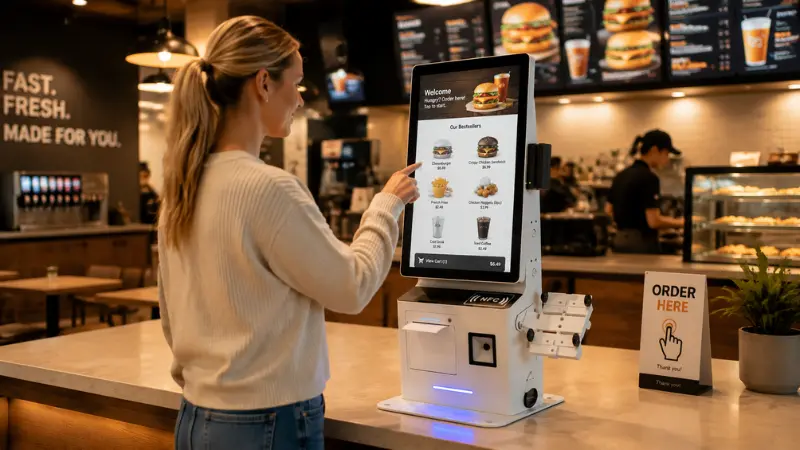
Customer experience drives repeat visits. Speed alone is not enough. Customers want control, clarity, and ease while ordering. McDonald’s Kiosks improve all three. They remove common friction points that exist at the counter.
Visual Menus Help Customers Decide Faster
Kiosks rely on images, not just text. This changes how customers choose items.
Photos make meals easier to understand. Customers spot combos and add-ons quickly. High-margin items get more attention. This leads to better decisions without staff input.
Simple Customization Without Back-and-Forth
At the counter, customization slows things down. Customers must explain changes. Staff must confirm them.
Kiosks remove this step. Customers tap to add or remove items. They see changes in real time. Combos and upgrades appear clearly. This makes the process smooth and fast.
Multilingual and Accessible for More Customers
Not every customer feels comfortable ordering in the same language. This creates hesitation at the counter.
Kiosks solve this with language options. Customers select their preferred language and proceed accordingly. Clear screens also help first-time visitors. This improves access for a wider customer base, especially in busy or tourist-heavy locations.
Less Pressure Leads to Better Orders
Ordering at the counter can feel rushed. A line builds behind the customer. This creates pressure to decide quickly.
Kiosks remove that pressure. Customers take their time. They explore the menu and consider add-ons. This often leads to larger orders and better satisfaction.
Deployment Reality: What Restaurant Operators Must Consider Before Installing Kiosks
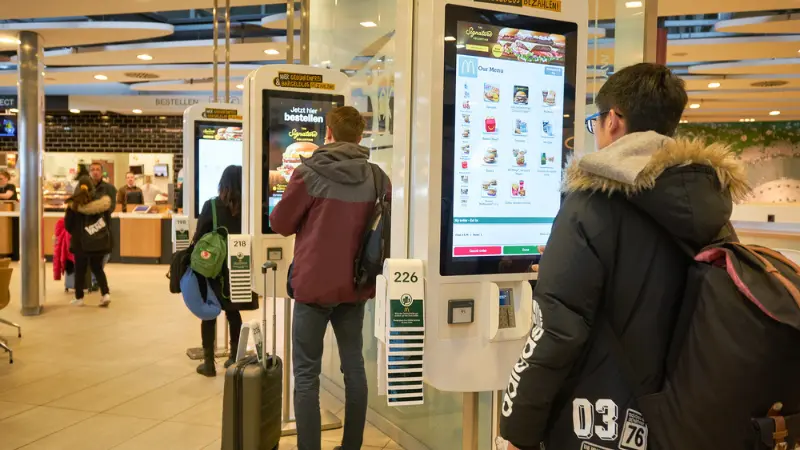
Kiosks work well in many stores. But results depend on how you deploy them. Poor setup can slow service rather than improve it. You need to plan layout, systems, and staff roles before installation.
Store Layout Must Support Smooth Customer Flow
Placement affects how customers move inside the store.
Do not block the entrance or pickup area. Place kiosks where customers naturally pause after entry. Leave enough space for queues around each unit. Clear paths reduce crowding and confusion during rush hours.
POS Integration Must Work Without Delays
Kiosks must connect with your existing systems. This includes POS, kitchen screens, and inventory.
Orders should move to the kitchen in real time. Menu items and prices must stay in sync. If systems fail to connect, staff will step in and slow the process. Test the full flow before launch.
Staff Training Must Focus on New Roles
Kiosks change what staff do during a shift. They do not remove the need for people.
Train staff to guide first-time users. Shift focus to food prep and order handling. Assign one team member to support the kiosk area during busy hours. Clear roles keep the service smooth.
Customer Adoption Takes Time
Not every customer will use kiosks on day one.
Some prefer the counter. Others need help at first. Keep at least one staffed counter open. Use simple signs to guide customers to kiosks. Adoption grows as customers get familiar with the system.
The Role of Self-Service Kiosks in Modern QSR Chains
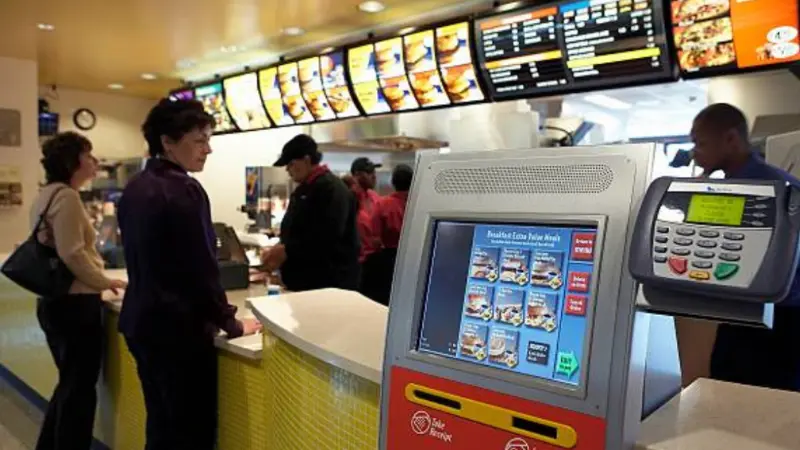
Self-service kiosks are no longer a novelty. They are now standard infrastructure in many quick-service restaurants. High-volume chains rely on them to manage orders efficiently across all service types.
Widespread Adoption Across Chains
- Burger chains: Handle thousands of daily orders with fewer front-counter staff
- Coffee chains: Speed up morning rush hours and reduce queue abandonment
- Global franchises: Standardize operations across countries with a consistent workflow
Integral to Multiple Ordering Models
- Dine-in: Customers place orders at the table or kiosk area, reducing counter lines
- Takeout: Kiosks allow quick pick-up without front-counter delays
- Hybrid: Kiosks work alongside mobile ordering and staffed counters for flexible service
For operators, kiosks are no longer optional. They provide reliable order intake, improve accuracy, and integrate smoothly with both staff and mobile channels.
The Future of Automation in Fast Food Restaurants
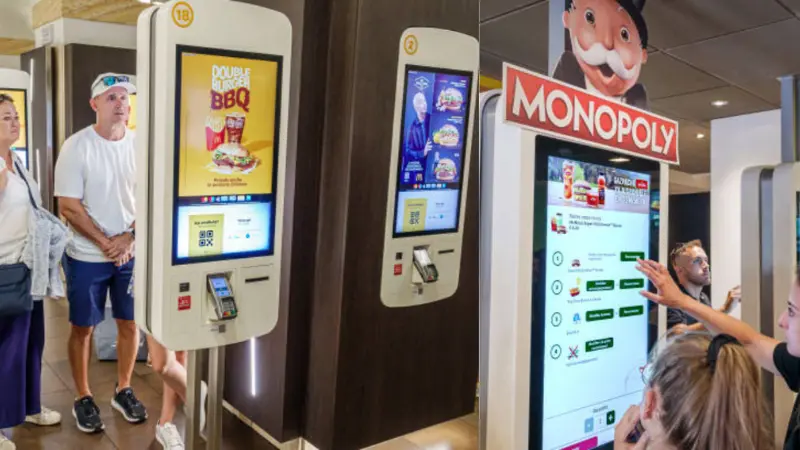
Automation will continue to reshape fast-food operations. Kiosks are just the first step. Emerging technologies will make ordering faster, smarter, and more personalized. Operators who adopt early gain efficiency and customer loyalty.
AI-Powered Menu Personalization
AI can tailor menu suggestions for each customer. Kiosks may show items based on past orders, time of day, or promotions. Personalized menus increase upsell potential and order value.
Integration With Mobile and Loyalty Apps
Kiosks will work seamlessly with mobile apps. Customers can start an order on their phone and complete it at the kiosk. Loyalty programs can automatically apply rewards and promotions.
Data-Driven Menu Optimization
Kiosks generate rich order data. Operators can track popular items, peak times, and menu performance. This data guides pricing, promotions, and inventory planning.
Fully Automated Ordering Ecosystems
Future stores may combine kiosks, mobile, and AI-driven systems. Orders flow directly to the kitchen with minimal staff intervention. Staff focus on preparation and quality. This ecosystem reduces costs, improves speed, and enhances the customer experience.
FAQ About Restaurant Self-Ordering Kiosks
What is a self-service ordering kiosk in restaurants?
A self-service kiosk lets customers place and pay for orders without a cashier. It connects directly to the kitchen and POS system, reducing wait times and errors.
How does McDonald’s self-service kiosk work?
Customers use a touchscreen to browse the menu, customize items, and pay at the kiosk. The order is sent to the kitchen, and a pickup number is issued. Staff then focus on preparation and support.
Do restaurant kiosks reduce labor costs?
Yes. Kiosks handle order-taking, allowing fewer cashiers per shift. Staff can be reallocated to food prep and other higher-value tasks, improving efficiency without overstaffing.
How much does a restaurant kiosk system cost?
Costs include hardware (per unit), software fees, installation, and maintenance. A single kiosk can cost several thousand dollars upfront, with ongoing monthly software or support fees. ROI typically occurs in 12–24 months for high-volume stores.
Are self-ordering kiosks profitable for restaurants?
Yes. Kiosks increase order accuracy, speed, and average order value. Combined with labor savings, high-volume stores often recover costs within 1–2 years and see long-term profit gains.
Take Control of Your Restaurant Operations
Slow counters and long lines can hold your restaurant back. Self-service kiosks can help speed up ordering, reduce pressure on staff, and make daily operations more efficient. They can also create more opportunities to increase average order value while giving customers a faster, smoother ordering experience.
The key is choosing a self-service solution that fits the way your restaurant actually operates.
Ready to Modernize Your Restaurant?
Want to see how self-service can work for your business? Explore SwiftForce Self-Service Solutions to learn more about our commercial kiosk and POS hardware.
Have a specific restaurant project in mind? Contact SwiftForce and tell us what you are looking for. Let’s talk about the right solution for your operation.