

You need new checkout hardware, but every option looks different. One vendor pushes kiosks. Another says mobile POS is the future. Someone else tells you to stay with the cash registers. The choice feels unclear. In retail and restaurants, checkout speed affects revenue. Long lines hurt sales. Slow systems frustrate staff. Weak hardware limits growth.
This guide breaks down POS hardware in simple terms. You will see how cash registers, kiosks, tablet systems, and mobile POS compare. You will understand cost, use cases, and long-term value. By the end, you can choose the right setup for your business.
What Is POS Hardware?

POS hardware refers to the physical equipment that allows a business to complete a sale. It includes the machines at the counter, the devices in staff hands, and the tools that connect payments to your system. Without it, no transaction moves forward.
In retail and restaurants, POS system hardware often includes:
- Checkout terminals
- Cash registers
- Self-service kiosks
- Handheld or mobile devices
- Barcode scanners
- Receipt printers
- Cash drawers
- Card payment terminals
These devices work together to capture sales, accept payments, and send data to your POS software.
POS Hardware vs POS Software
POS hardware is the physical setup inside your store. It is what staff and customers touch every day.
POS software runs on that hardware. It records transactions. It tracks inventory. It generates reports.
Many buyers focus on software features. They compare dashboards and analytics tools. But hardware affects daily performance more than expected. Slow terminals delay staff. Weak scanners cause errors. Poor build quality leads to breakdowns. Software cannot fix weak equipment.
Why Hardware Choice Directly Impacts Revenue
The right POS hardware improves:
- Checkout speed: Faster transactions reduce line length.
- Queue control: More lanes or mobile devices handle peak hours.
- Labor use: Self-checkout kiosks reduce cashier pressure.
- Customer experience: Smooth payments increase repeat visits.
- System reliability: Stable hardware reduces downtime and lost sales.
In high-volume retail and quick-service restaurants, small delays cost real money—the hardware you choose shapes daily revenue.
The 4 Core Types of POS Hardware in Retail & Restaurants

Most businesses do not need every type of POS hardware. They need the right type for their size, traffic, and service model. A small convenience store has different needs than a supermarket or a quick-service restaurant. Before you compare features and cost, you must understand the four core hardware categories and where each one fits.
1. Cash Registers
Cash registers suit small retail stores with low transaction volume. They handle basic sales and cash payments. Setup is simple. The cost stays low. They work best for single-location shops with limited product ranges and no need for deep reporting or system integrations.
2. Traditional POS Terminals
Traditional POS terminals fit mid-size and high-volume retail stores. They include a fixed terminal, a barcode scanner, a receipt printer, and a payment device. They support inventory tracking and reporting through connected software. This setup works well for supermarkets, specialty retail, and multi-lane checkout counters.
3. Self-Service Kiosks
Self-service kiosks support high-traffic environments. Customers place orders or scan items and pay on their own. Restaurants use them for front-counter ordering. Retail stores use them for self-checkout lanes. They reduce cashier load and improve flow during peak hours.
4. Mobile & Tablet POS Hardware
Mobile and tablet POS hardware gives staff flexibility. Employees can complete sales anywhere in the store or at the table. This setup fits boutiques, pop-up shops, and full-service restaurants. It also helps larger stores manage long lines during busy periods.
What Are Cash Registers, and Where Do They Still Make Sense

Cash registers still have a place in retail. They are simple. They cost less than full POS systems. They work well for small stores with basic needs. If you run a low-volume shop, a cash register for retail can handle daily sales without a complex setup.
What a Modern Cash Register Includes
A modern cash register is not advanced, but it covers the basics:
- Cash drawer to store bills and coins
- Built-in receipt printer for paper receipts
- Basic sales totals and shift reports
- Simple tax settings
Most models do not connect to other business tools. They do not sync with online stores. They do not support deep sales tracking. The focus stays on fast, simple checkout.
Best Use Cases Of a Traditional Cash Register
A cash register makes sense for:
- Small convenience stores
- Low-SKU gift shops
- Newsstands
- Seasonal retail booths
- Stores with low daily transaction volume
If you sell a limited number of products and manage stock by hand, this setup can work.
Limitations in the 2026 Retail Environment
Retail has changed. Many stores now sell online and in person. Customers expect digital receipts and flexible payments.
Cash registers do not offer:
- Real-time inventory sync
- Customer purchase tracking
- Omnichannel support
- Easy multi-location control
- Scalable growth options
They are not outdated. They are just limited. For small, stable stores, they remain a cost-effective choice. For growing retailers, they can hold the business back.
Cash Register vs POS System (A Functional Comparison)
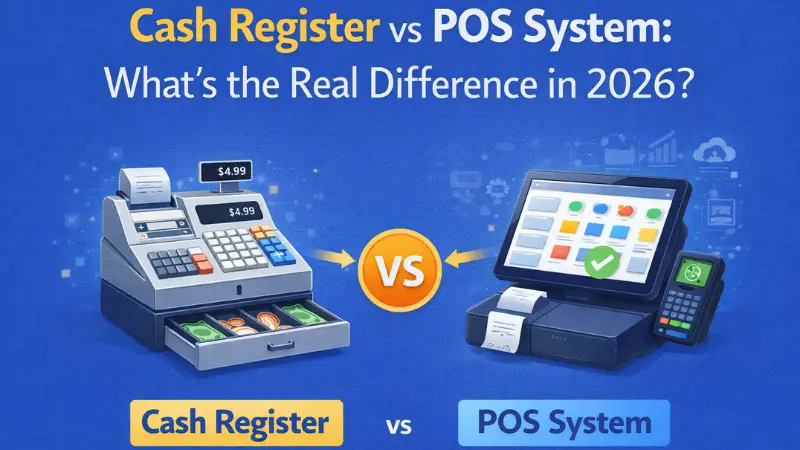
Many small retailers start with a cash register. As the business grows, limits appear. Sales increase. Product count expands. Reporting needs become more serious. This is where the comparison with a full point of sale system becomes important.
Below is a clear breakdown of the functional differences.
| Feature | Cash Register | POS System |
|---|---|---|
| Inventory management | Basic or manual tracking | Real-time inventory tracking |
| Reporting | Limited daily totals | Detailed sales, tax, and product reports |
| Integrations | None | ERP, CRM, eCommerce platforms |
| Scalability | Low | High |
| Multi-location support | No | Yes |
A cash register handles simple transactions. Staff record sales. Owners often count stock by hand. Reports show basic totals.
A POS system tracks each product as it sells. It updates inventory in real time. It stores sales history. It connects with accounting tools and online stores. Owners gain visibility and control.
When Upgrading Makes Financial Sense
An upgrade makes sense when:
- You manage hundreds or thousands of SKUs
- You sell both in-store and online
- You operate more than one location
- Manual stock counts cause errors
The upfront cost of a POS system is higher. But better control reduces shrinkage, stockouts, and reporting mistakes. Over time, that control protects revenue and supports growth.
Self-Service Kiosks: High-Volume Checkout Optimization

High-traffic stores and quick-service restaurants face one common problem. Lines grow fast during peak hours. Staff struggle to keep up. A self-service kiosk helps solve this issue. It shifts part of the checkout process to the customer while keeping the sale inside your POS system.
What Is a Self-Service Kiosk?
A self-service kiosk is a standalone checkout terminal that customers use on their own. It usually includes:
- A large touchscreen display
- An integrated card payment device
- A secure connection to the POS backend
The kiosk sends each transaction directly to the main POS system. Inventory updates in real time. Sales data stays centralized.
Self-Service Kiosk Deployment in Retail vs Restaurant
Deployment differs by industry.
Retail:
Supermarkets and big-box stores use kiosks as self-checkout lanes. Customers scan items, place them on a bagging scale, and pay without cashier support. One staff member can monitor multiple lanes. Studies show kiosks cut queue times and reduce errors while boosting transaction capacity in retail settings.
Restaurant:
A restaurant self-service kiosk allows guests to browse the menu, customize orders, and pay before the order reaches the kitchen. The system sends the ticket directly to the kitchen display or printer. Research shows kiosk use in QSR environments increases order accuracy and customer satisfaction.
Operational Benefits of Self-Service Kiosk
A well-placed kiosk can:
- Reduce cashier labor needs
- Increase order accuracy
- Improve upsell rates through on-screen prompts
- Handle peak traffic without adding counters
Customers often spend more when they control the screen. They review options without pressure.
Real Deployment Considerations
Before installation, evaluate:
- Available floor space
- Secure floor or wall mounting
- ADA compliance requirements
- Ongoing maintenance and service contracts
Kiosks work best in structured environments with steady traffic. In high-volume retail and fast-casual dining, they can increase throughput and protect margins.
Mobile POS Hardware: Line-Busting & Tableside Efficiency
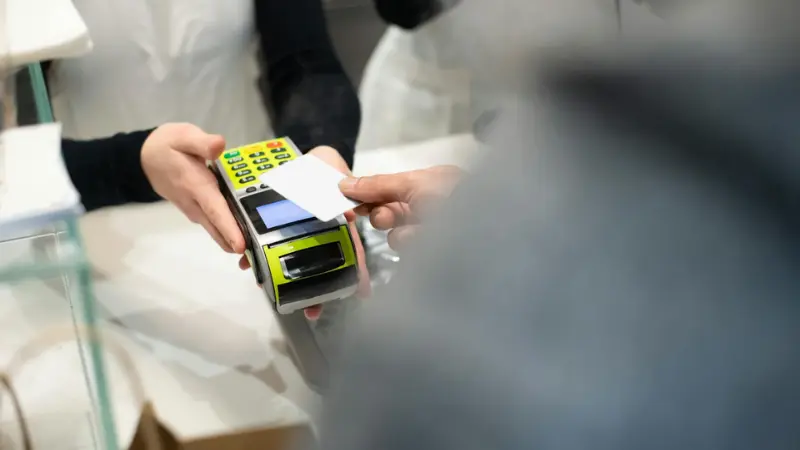
Mobile POS hardware is a portable checkout device that allows staff to complete transactions anywhere inside the store or restaurant. It can be a handheld terminal or a smartphone-based system with an integrated card reader. The device connects to the main POS system and sends transaction data in real time. Inventory and sales records update instantly across all terminals. Studies report that mobile POS systems improve order accuracy, tracking, and reporting when integrated with core systems.
Best Use Cases Og Mobile POS Hardware
Mobile POS hardware works well in:
- Tableside restaurant payments, where servers close checks at the table
- Queue busting in retail during the holiday rush or weekend peaks
- Pop-up shops that need quick setup
- Seasonal kiosks in malls or outdoor markets
In mid-size retail, staff can approach customers in line and complete the sale before they reach the counter. In hospitality, tableside payment improves table turnover and guest satisfaction.
Security & Connectivity Considerations for Mobile POS
Mobile POS hardware depends on strong and stable WiFi coverage across the entire floor. Weak signals cause delays and failed payments. The system must support encrypted payment processing to protect card data. Battery life must last through long shifts without constant charging. Managers should also use central device control to manage updates and restrict staff access. When the network and device oversight are solid, mobile POS hardware increases speed and improves service flow.
Tablet POS Hardware: The Mid-Market Sweet Spot
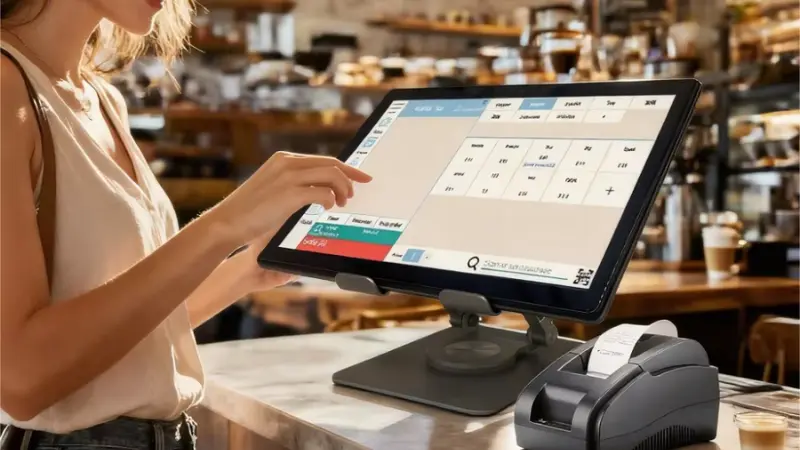
Tablet POS hardware uses a standard tablet, usually an iPad or Android device, as the main checkout terminal. The tablet sits on a stand or in a secure enclosure and connects to peripherals like receipt printers, barcode scanners, and card readers. It communicates with the POS software, updating sales and inventory in real time.
How Tablet POS Systems Work
The tablet runs the POS application and acts as the central control for transactions. It links to connected devices such as a cash drawer, card reader, and printer. Some setups also support kitchen display integration for restaurants or inventory management tools for retail.
Advantages
Tablet POS systems are popular in small chains, boutiques, and salons because they provide:
- Lower upfront cost compared to traditional terminals
- A clean, user-friendly interface that staff can learn quickly
- Easy updates and maintenance through software apps
The flexible setup also allows for portable checkout or multi-station configurations without major installation work.
Limitations
Tablet POS hardware has some limits. They are less durable than industrial-grade terminals. Heavy daily use can cause wear or performance issues. High transaction volume environments may experience slower processing compared to traditional POS hardware. Businesses must consider transaction load and physical security when planning deployment.
POS Hardware Cost Breakdown
POS hardware costs vary widely depending on the type and features.
Cash Register Cost
A basic cash register for retail typically costs between $100 and $500. These models handle simple transactions, print receipts, and store cash. They do not include advanced reporting or software integrations. For small shops with low transaction volume, this can be a cost-effective starting point.
Traditional POS Terminal Cost
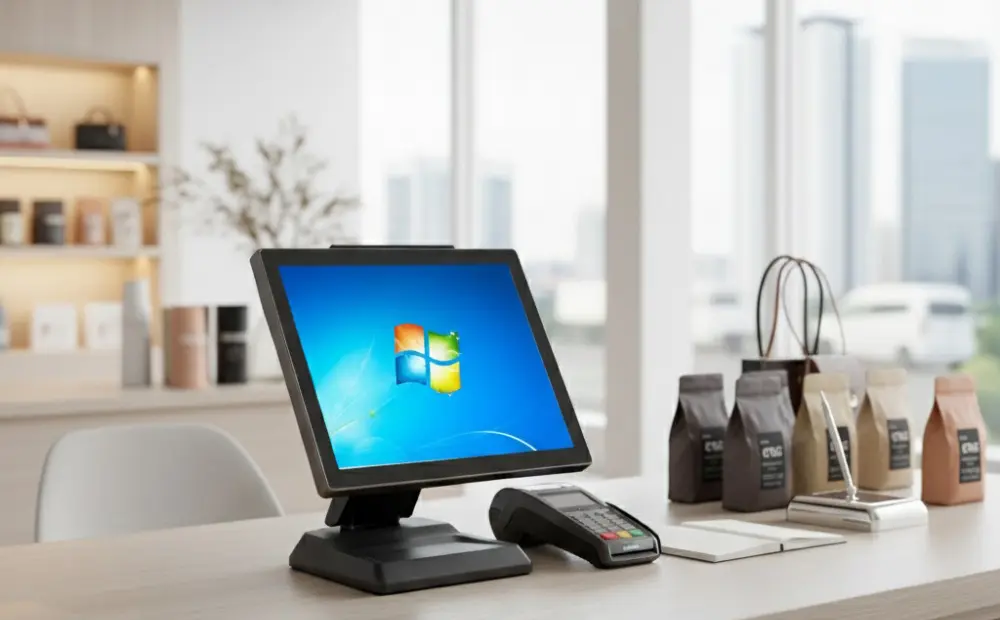
Traditional POS terminals are more advanced and generally cost $800 to $2,500 per station. They include a dedicated terminal, card reader, receipt printer, and often a barcode scanner. These systems support inventory tracking, reporting, and integrations with accounting or eCommerce platforms.
Self-Service Kiosk Investment
Self-service kiosks require a higher investment, ranging from $2,000 to $10,000 or more per unit. Costs vary by screen size, integrated payment hardware, and software features. Deployment also requires planning for floor space, security, and maintenance contracts.
Mobile & Tablet POS Cost
Mobile and tablet POS setups typically cost $300 to $1,200 per device. This includes the tablet or handheld terminal, card reader, and basic peripherals. Additional accessories or extended software licenses can increase costs slightly, but these setups remain more flexible and affordable than full POS terminals.
Hidden Costs Buyers Overlook
Beyond hardware, businesses often face additional expenses:
- Installation and setup fees
- Mounting systems for kiosks or tablets
- Peripheral devices such as barcode scanners or receipt printers
- Ongoing technical support and software updates
- Hardware replacement cycles as devices age
Considering both the upfront and hidden costs helps you make an informed decision.
POS Hardware Comparison: Choosing by Business Type
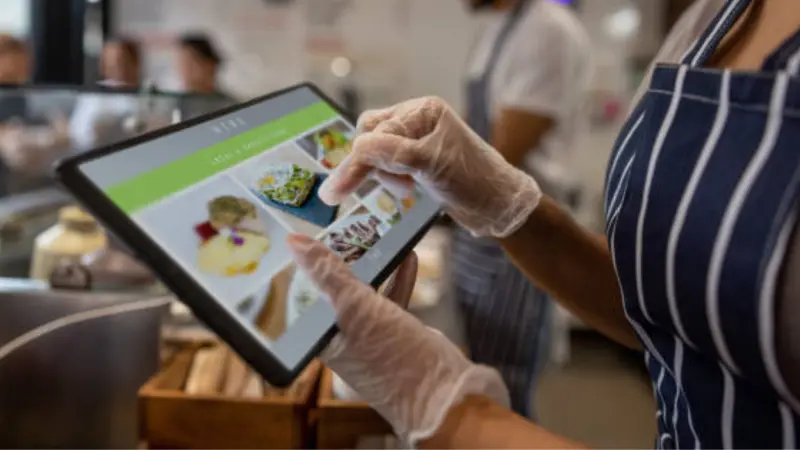
Selecting the right POS hardware depends on your store type, traffic volume, and growth plans. Each business model has different priorities for speed, space, and staffing. Choosing the wrong hardware can slow operations or increase costs. Below is a practical guide for common retail and restaurant setups.
Small Retail Stores
For small shops with limited SKUs and low transaction volume, a tablet POS or entry-level terminal works best. These setups are affordable, easy to install, and simple for staff to learn. They provide essential reporting without the cost of full-size POS systems.
Supermarkets & High-SKU Stores
Large stores benefit from a hybrid approach. Staffed lanes handle complex transactions, while self-checkout kiosks speed up smaller, frequent purchases. This setup balances labor efficiency and customer flow. Inventory and sales data remain centralized for easy management.
Cash Register vs Kiosk
| Factor | Cash Register | Self-Service Kiosk |
|---|---|---|
| Volume | Low | High |
| Staffing | Full cashier needed | Reduced cashier load |
| Space | Small footprint | Requires dedicated lane |
| Budget | Low | High initial cost |
| Growth | Limited scalability | Supports expansion |
Quick-Service Restaurants
Fast-casual and quick-service restaurants benefit from kiosks combined with kitchen display systems. Guests place orders themselves, reducing wait times and minimizing errors. Staff can focus on food prep and service instead of order entry.
Multi-Location Chains
For chains, standardized terminal hardware with centralized management works best. Each location uses the same hardware and software. Centralized reporting, inventory tracking, and remote updates reduce management overhead.
Kiosk vs Mobile POS
| Factor | Kiosk | Mobile POS |
|---|---|---|
| Volume | High, fixed locations | Medium, flexible areas |
| Staffing | Minimal cashier support | Staff-assisted checkout |
| Space | Dedicated lane needed | Portable, requires little space |
| Budget | High upfront | Moderate upfront |
| Growth | Scales with traffic | Scales with staff |
Decision factors include transaction volume, staffing levels, floor space, budget, and long-term growth plans. Choosing the right hardware ensures smooth operations and supports revenue growth.
AI POS Hardware: The Shift Toward Smart Checkout
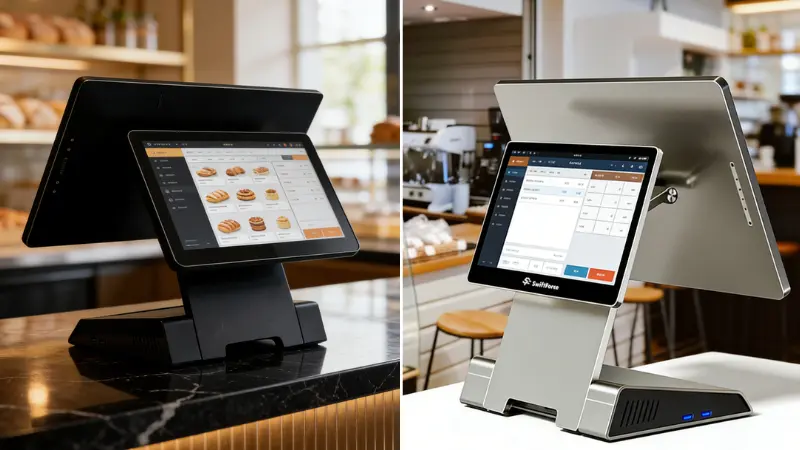
AI POS hardware uses artificial intelligence to improve the checkout experience. Unlike standard terminals, these systems can recognize items automatically, track stock, and detect unusual transactions. They combine advanced sensors, computer vision, and machine learning to make stores more efficient and secure.
What Makes POS Hardware “AI-Enabled”
AI-enabled POS hardware can:
- Scan items using computer vision without manual barcodes
- Recognize products automatically for faster checkout
- Detect suspicious or fraudulent transactions in real time
- Provide predictive prompts for inventory management and restocking
These features reduce manual work and improve accuracy. They also give managers real-time insights that support smarter decisions.
Use Cases
AI POS hardware works well in high-traffic and tech-forward stores:
- Smart self-checkout: Customers scan or drop items, and the system totals automatically
- Grab-and-go retail: Stores without traditional counters can monitor purchases automatically
- Loss prevention analytics: AI flags unusual activity, helping reduce shrinkage
Is AI POS Worth It for Mid-Market Retail?
For mid-size stores, AI POS hardware can offer real benefits if traffic is high or staff efficiency is critical. Upfront costs are higher than traditional systems, but faster checkout, fewer errors, and better loss prevention can justify the investment.
Best POS Hardware for Retail Businesses by Segment
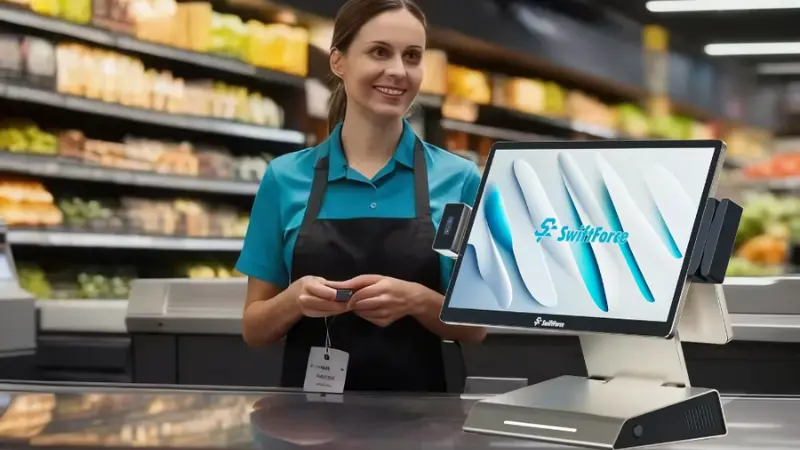
Choosing the right POS hardware depends on store size, traffic, and complexity. Different segments benefit from different setups. Here is a practical guide for retailers.
Small Independent Retailers
Recommended: Tablet POS or entry-level terminal
Small shops need affordable, flexible solutions. Tablet POS systems are easy to install and simple for staff to learn. They provide essential sales tracking without high upfront costs. For stores with low transaction volume and limited SKUs, this setup is fast, reliable, and budget-friendly.
Grocery & Supermarkets
Recommended: Hybrid setup: staffed lanes plus self-service kiosks
High-volume stores need speed and accuracy. Staffed lanes handle complex or large orders, while self-service kiosks let customers complete smaller purchases quickly.
Specialty Retail (Electronics, Apparel)
Recommended: Traditional POS terminals with tablet options
Specialty stores benefit from terminals that support detailed product tracking and customer profiles. Tablets at select counters or sales floors offer flexibility for upselling and personalization. The system should integrate with inventory, loyalty programs, and e-commerce platforms.
Franchise & Chain Stores
Recommended: Standardized POS terminals with centralized management
Multi-location retailers need uniform hardware across all stores. Centralized software updates, reporting, and inventory control keep operations consistent. Terminals must support high traffic, multi-lane checkout, and integration with loyalty or CRM systems.
How to Choose the Right POS Hardware
Choosing the right POS hardware requires a clear plan. Follow these steps to make a practical, cost-effective decision.
Step 1: Define Transaction Volume
Estimate the number of transactions per hour and per day. High-volume stores need fast, reliable hardware. Small shops can use simpler, lower-cost options.
Step 2: Map Customer Flow
Observe how customers move through your store or restaurant. Identify peak times and congestion points. Choose hardware that reduces wait times and keeps lines moving.
Step 3: Evaluate Integration Needs
List the systems your business relies on, such as inventory, accounting, or loyalty programs. Ensure the POS hardware can connect seamlessly. Avoid setups that require manual data entry.
Step 4: Calculate 3-Year Hardware ROI
Consider purchase price, maintenance, and replacement costs over three years. Compare this with expected efficiency gains and revenue improvements. A higher upfront cost can pay off with faster checkout and fewer errors.
Step 5: Plan for Scalability
Think about future growth. Can the hardware handle more SKUs, locations, or staff? Choose devices that can expand with your business without costly replacements.
FAQs About POS Hardware
What is the difference between POS hardware and POS software?
POS hardware is the physical equipment used to complete transactions, such as terminals, registers, tablets, and scanners. POS software runs on this hardware, managing sales, inventory, reporting, and integrations. Hardware handles the checkout process directly, while software tracks data, generates reports, and connects with other business systems to improve efficiency.
Are self-service kiosks better than cash registers?
Self-service kiosks excel in high-traffic environments. They speed up checkout, reduce cashier workload, and improve order accuracy. Cash registers are simpler and cheaper, suitable for small stores with low transaction volume.
How much does POS hardware typically cost?
Costs vary by type. Basic cash registers range from $100 to $500. Traditional POS terminals cost $800 to $2,500 per station. Self-service kiosks start around $2,000 and can exceed $10,000. Mobile and tablet setups cost $300 to $1,200 per device. Additional expenses include installation, peripherals, and maintenance.
Is mobile POS secure for retail payments?
Yes. Mobile POS devices use encrypted connections and comply with payment security standards. Reliable WiFi and device management ensure safe transactions.
What is AI POS hardware used for?
AI POS hardware automates checkout, recognizes products, predicts inventory needs, and flags unusual transactions. It improves speed, reduces errors, and supports loss prevention in high-volume retail and tech-forward stores.
Final Take: Future-Proof Your POS Hardware
Cash registers still work well for small, simple stores. Self-service kiosks can handle more customers and reduce pressure on staff. Mobile POS gives your team more flexibility and helps improve customer service. Tablet POS is affordable, easy to set up, and simple for staff to learn. For businesses that need more flexibility, a hybrid setup can combine these tools into one future-ready checkout strategy.
The key is to choose a POS setup that fits your business today and can grow with you tomorrow.
Not sure which POS hardware or ordering system is right for your business?
Explore SwiftForce’s POS solutions to see the options available for different retail and restaurant needs. Have a specific project in mind? Contact SwiftForce to discuss your requirements and find the right solution for your operation.