
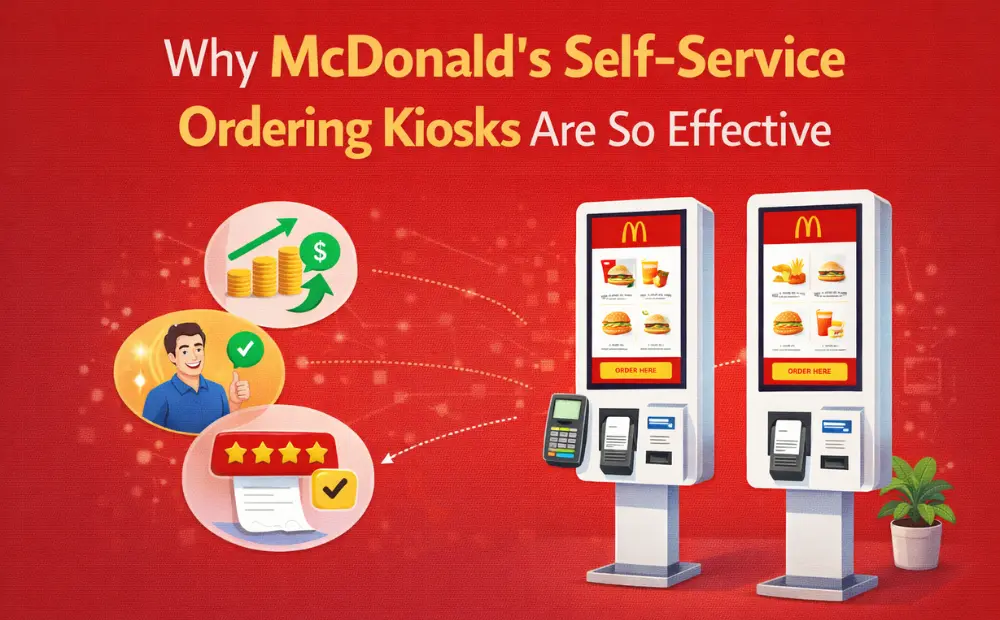
A Forbes study says McDonald’s added self-service kiosks because of rising labor costs and long lines at the counter. Ed Rensi, a former Forbes contributor, points out that “McDonald’s has been leading the way as a pioneer in productivity among employees, concepts, and machines.”
The kiosks also help McDonald’s maintain consistent food quality, taste, and the popular value menu. They control labor costs while making customers happier. In this blog, we’ll look at why McDonald’s kiosks work so well and what other restaurants can learn from them.
What Is McDonald’s Self-Service Ordering Kiosk System?
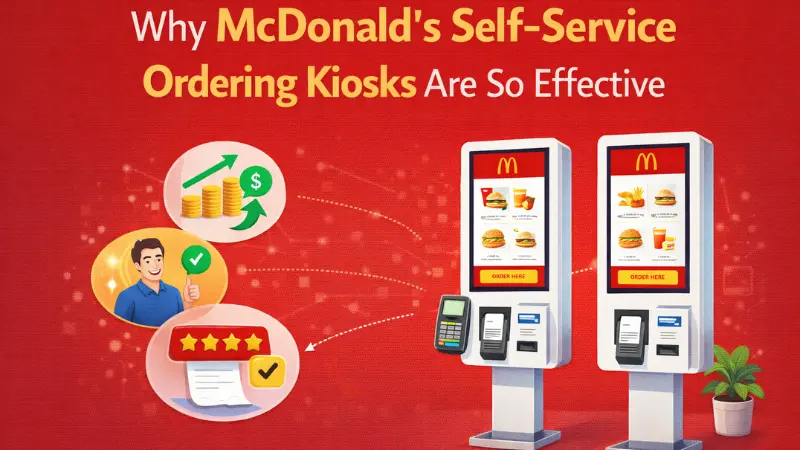
McDonald’s self-service ordering kiosk system is a complete digital ordering station. It is a 27” multi-touchscreen that brings appealing food pictures and an advertising display of meals.
It comes with a dedicated kiosk OS, secure payment hardware, and a direct link to the store’s POS. The system accepted cards, NFCs, and mobile wallet payments. Once you place your order through a kiosk system, it sends your order straight to the kitchen without any modifications or discrepancies.
Overview of McDonald’s global kiosk rollout
McDonald’s self-service ordering kiosk system follows appropriate brand and menu rules from corporate. These rules help keep the UX consistent across all McDonald’s franchises. It also drives operational efficiency by eliminating the need for hiring and training resources to take on these tasks.
Core components of the McDonald’s kiosk system
- Appealing touchscreen interface: Large, vivid panel that enables a user-friendly menu navigation and quick taps, and facilitates learning for first-time users.
- Mounting System: Floor or wall mount built for high-traffic stores.
- Customization Capabilities: Allows customers to easily modify and add to their orders without slowing down the ordering service.
- Multiple payment options: Includes cards, digital wallets, and NFC to support quick and convenient checkout.
- User friendly ordering flow with clear instructions: It helps customers customize meals, find items, and process transactions smoothly.
- Appealing menu visuals: These help upsell and attract customers towards new deals that might have been launched.
- Thermal printer: Prints order tickets or pickup numbers, ensuring transparency.
How kiosks fit into McDonald’s digital ordering strategy
McDonald’s self-service ordering kiosks have become an integral part of its digital ordering strategy. From driving operational efficiency to delivering top-notch customer service, it helps McDonald’s stand out among its competitors.
- Setting the Kiosk Trend: McDonald’s is setting the kiosk trend by allowing customers to place orders without interacting with a cashier. This has motivated other restaurant chains to adopt the same kiosk systems and deliver customer satisfaction.
- Secure Digital Payments: Most McDonald’s kiosk systems accept digital or card payments, so your transactions are more secure than ever. You spend less time compared to when you give cash to the cashier, and they return you the change.
- Customization: McDonald’s kiosk systems help customers customize their orders easily and more efficiently with just a few taps.
Why McDonald’s Self-Service Ordering Kiosks Are So Effective
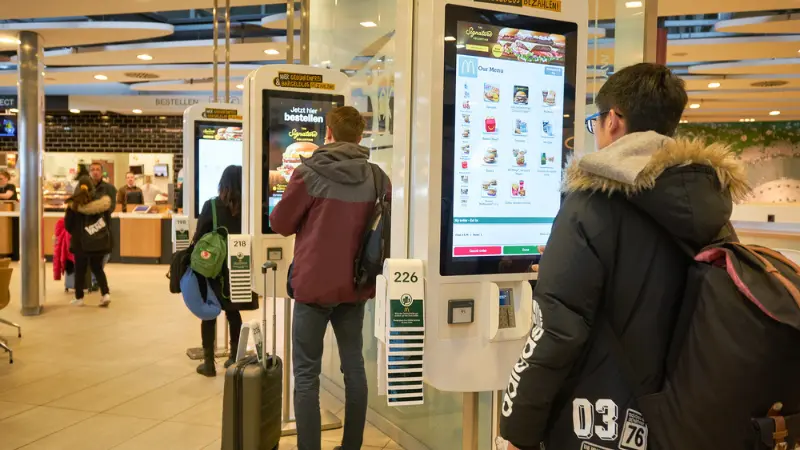
McDonald’s self-service ordering kiosks are so effective because they get the work done with minimum human interaction. This helps the customer feel more in control and satisfied with their order. Here is a detailed explanation of why McDonald’s kiosks work great.
Faster Ordering and Reduced Queues
According to a Waitwhile survey, over 75% of customers avoid going to business if they anticipate a line. And McDonald’s kiosks tackle exactly that.
McDonald’s self-service systems eliminate the need to stand in long queues and wait to order your food.
During peak hours, such as lunch or dinner, many customers flood McDonald’s as it is a reliable fast-food restaurant chain.
Traditional ordering systems require customers to stand in long queues to place their orders, which meant that some customers could not wait for that long because they might have had set hours for lunch or dinner during their work shift.
With McDonald’s self-service ordering kiosks, customers can order their favorite McDonald’s meal with just a few taps.
Fewer Order Errors and Higher Accuracy
McDonald’s self-service kiosks help reduce mistakes in orders and make the whole process clear and simple. Before you place your order, you can check everything and make sure it’s exactly what you want—adding or removing items if needed.
- Customer-driven input: These kiosks give restaurant owners valuable customer insights and make it easy to highlight special deals for shoppers.
- Visual confirmation before payment: You get a clear summary of your order, so you can double-check it and make changes if necessary. This keeps the process transparent and puts customers in full control of their orders.
Built-In Upselling and Menu Optimization
McDonald’s kiosks facilitate suggestive selling via their appealing UI. For example, when buying a food item, customers would often get suggestions for items that are mostly sold with that item. This could prompt the customer to add it to their meal.
When buying a single burger, customers could get combo prompts, for example, to add fries and a drink to their order, aka make it a meal.
Customer Experience Improvements Enabled by McDonald’s Kiosks
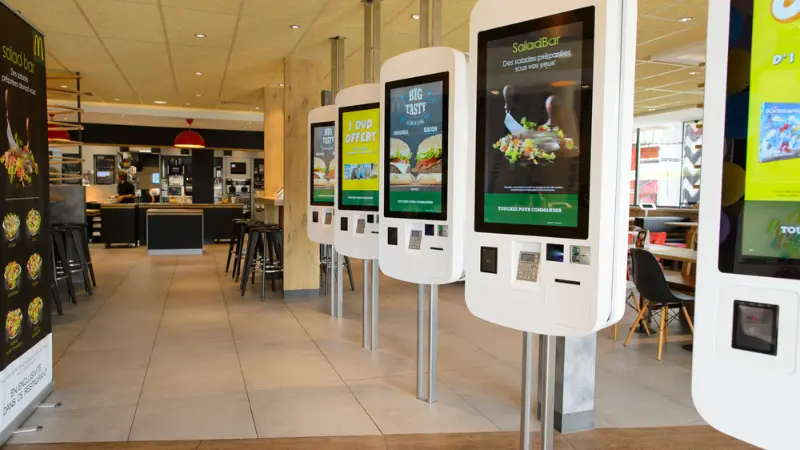
With a traditional counter, you might feel rushed to order, especially if there’s a long line behind you. McDonald’s self-service kiosks remove that pressure, making the ordering process smooth and relaxed.
If you want to make multiple changes to your order, you don’t have to worry about embarrassing yourself or bothering a cashier. The kiosk lets you customize freely, as many times as you like.
Ordering through a kiosk also skips the need to explain your order to a human. Your selections go straight to the kitchen, which speeds up service and helps everyone get their food faster.
Operational Benefits for McDonald’s Restaurants
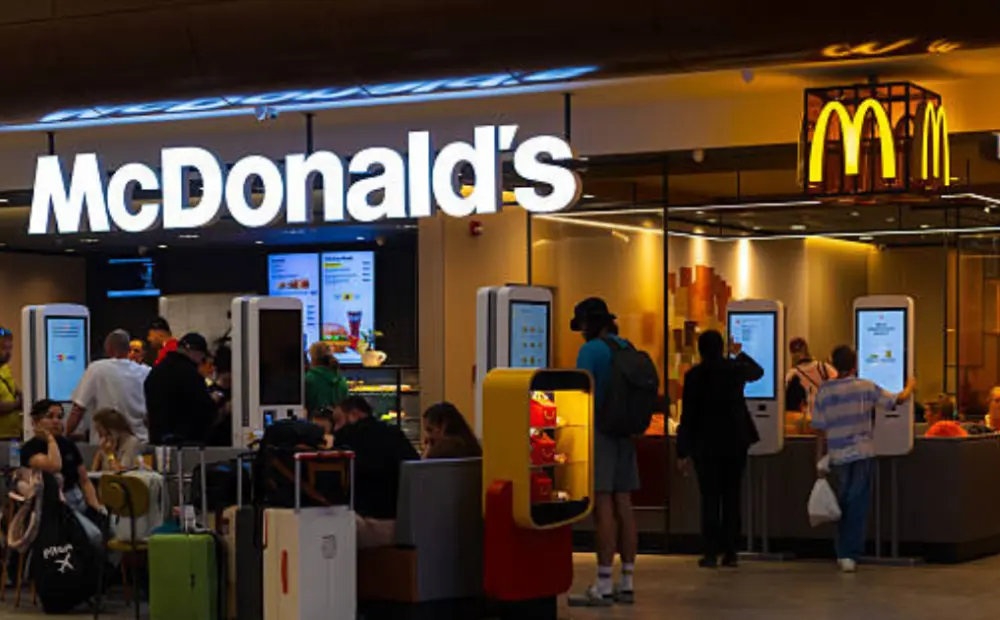
- Labor optimization: With McDonald’s kiosks handling customer orders, staff can focus more on helping customers and making sure the food and dining experience stay top quality.
- Staff redeployment to food prep and delivery: You might think kiosks mean layoffs, but McDonald’s kept most of its employees. Instead, they shifted staff to food prep and delivery, which made operations faster and more efficient.
- Consistent ordering experience across locations: Some customers complained of inconsistent ordering experiences across different McDonald’s locations. But with McDonald’s self-service kiosks, the ordering process has become consistent across all its locations.
Self-Ordering Kiosks vs POS Terminals in Restaurants
McDonald’s kiosk system has several benefits over the traditional POS terminals in restaurants. Let us now discuss some differences between self ordering kiosks vs POS terminals.
Ordering Flow Comparison
- Counter POS limitations
- Standing in long queues before placing your order.
- Order customization could take time and frustrate others in the queue.
- Time-consuming cash transactions.
- Kiosk parallel ordering advantage
- Place the order with just a few taps.
- Take your sweet time to customize your order without any embarrassment.
- Seamless and secure digital transactions.
Cost, Efficiency, and Scalability
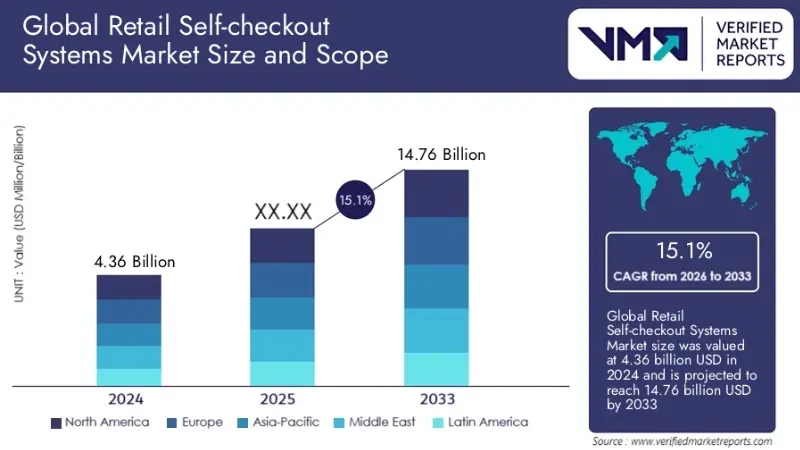
Hiring and training an additional employee to take customer orders could be costly and time-consuming. McDonald’s self-service ordering kiosks require a significant upfront hardware investment, but they can give you higher returns in the long run.
With self ordering kiosks rising in demand for restaurants, you would only have to invest once, and all that comes later would be long-term ROI. POS terminals, however, constantly require maintenance, and also new hires need to be trained on how to use them.
| Feature | Self-Ordering Kiosks | POS Terminals |
|---|---|---|
| Initial Cost | High | Low |
| Labor Need | Low | High |
| Order Speed | Fast (parallel) | Slower |
| ROI | Strong long-term | Moderate |
| Scalability | Easy | Limited |
What Other Restaurants Can Learn from McDonald’s Kiosk Strategy
McDonald’s didn’t just throw kiosks into their stores and hope for the best. They studied what customers actually ordered, then designed the kiosk flow around that behavior. Combo prompts appear at exactly the right moment. Popular items sit where your eyes land first. The upsell feels like a suggestion, not a pitch.
With self ordering kiosks for restaurants, owners can take the same approach. Use your sales data to figure out which items get ordered together, then build those prompts into the kiosk flow. Put your highest-margin combos where they’re easiest to tap.
McDonald’s also kept the kiosk interface identical across every location. A customer who orders in Dallas has the same experience in Chicago. That kind of consistency builds familiarity, and familiarity gets people ordering faster.
Choosing the Right Self-Service Kiosk Hardware for Restaurants
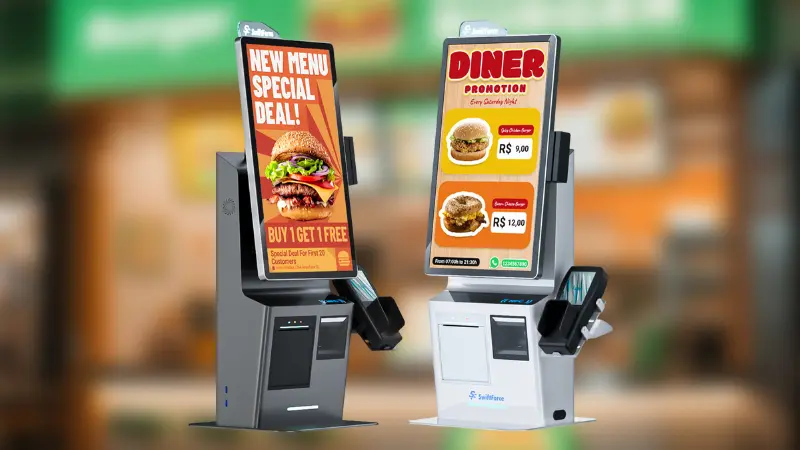
When picking self-service kiosks for your restaurant, there are a few key things to keep in mind:
- OS and POS compatibility: Make sure the kiosk works smoothly with your existing POS system so orders flow without any glitches.
- Payment integration: The hardware should accept multiple payment methods, like credit/debit cards, digital wallets, and NFC, all seamlessly.
- Screen size and durability: Choose a sturdy, high-resolution screen that makes your digital menu easy to read, visually appealing, and appetizing for customers.
Custom Restaurant Kiosk Systems vs One-Size-Fits-All Solutions
Why customization matters
Each restaurant has its unique taste, so a custom restaurant kiosk system is reflective of that specific restaurant’s theme.
Plus, every business is unique, and having a customized kiosk built gives you the flexibility to incorporate your specific business needs. That could be your custom branding, payment integration, security setup, etc.
Branding, menu logic, and workflow
Using a one-size-fits-all solution can risk creating friction, as it could lead to confusing menu layouts that might not be well suited for your restaurant. This can lead to missed opportunities for upselling and customer engagement.
Integration with kitchen and loyalty systems
Your restaurant could offer different loyalty programs, so a kiosk system should be able to seamlessly integrate with it. Furthermore, it should also efficiently integrate with your kitchen, so customers do not complain upon receiving an incorrect order.
Frequently Asked Questions (FAQ)
Why are McDonald’s self-service kiosks so successful?
McDonald’s self-service kiosks are so successful because they prevent the need for standing in long queues before placing your order. This drives customer satisfaction and maintains a relaxed dining environment.
Do self-ordering kiosks replace POS terminals?
Self-ordering kiosks are a cost effective and smart replacement for traditional cash registers if integrated properly. They help restaurant owners redeploy their existing workforce to core services such as food quality and customer satisfaction.
Can small restaurants use self-ordering kiosks?
Small restaurants can use self-ordering kiosks for long-term ROI and invest that to gain a strong foothold in the industry. They might require an upfront cost, but in the long run, self-serving kiosks can provide restaurant owners with valuable customer-driven input and high ROI.
What hardware is required for restaurant kiosks?
Before installing a self-service kiosk in your restaurant, it is imperative that you know the hardware it requires.
The core hardware includes:
- An interactive touchscreen (mounted)
- A sturdy stand
- Payment processor (EMV/NFC card reader)
- Receipt printer
Are custom kiosk systems better than standard models?
Custom kiosk systems are better than standard models because they help keep a restaurant’s brand identity consistent and unique across all its locations. This can also help restaurant owners upsell by introducing aesthetic designs in their menus.
The McDonald’s Kiosk Model is a Blueprint for Restaurants
All in all, the McDonald’s self-service ordering kiosk model serves as a blueprint for restaurants in the present age. It can help you redeploy your workforce to core tasks such as customer service and quality control.
McDonald’s self-service ordering kiosk is also more effective than a traditional POS terminal. It gives more space for customization, upselling, and ease of access. With just a few taps, customers can place an order for their favorite meal.
Restaurant owners who want to minimize operational costs, optimize their existing labor, and drive customer satisfaction like McDonald’s should opt for Swiftforce’s self-service kiosks that offer unmatched value, durable hardware, and aesthetically pleasing designs.
If you also want self-service ordering kiosks like McDonald’s, get in touch with SwiftForce today.
Key Takeaways For Restaurant Operators
- Upselling opportunities: McDonald’s kiosks make it easy to suggest add-ons or side items, helping increase sales.
- Improved order accuracy: Orders go straight from the kiosk to the kitchen, so mistakes are minimal—unless the customer accidentally selects the wrong item.
Shorter Queues and Happy Customers: Shorter queues mean customers are more relaxed and might even order lavishly.