
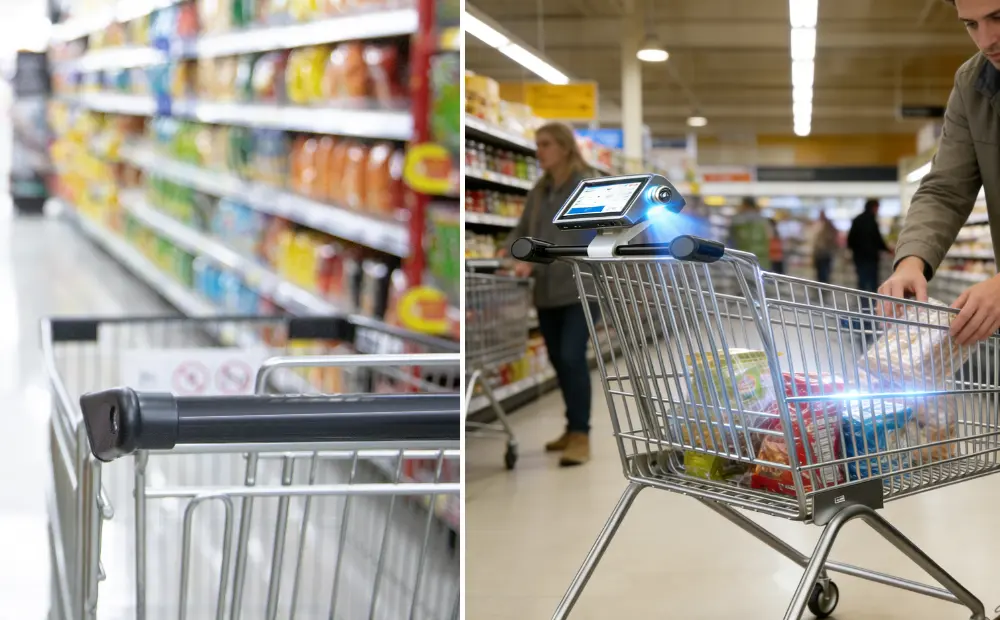
It’s 6 p.m. The store is full. Carts move fast. Checkout does not. Lines stretch past the aisles. Sales stop the moment customers wait. This is no longer a customer experience issue. It is a revenue ceiling. Self-checkout helped reduce cashier demand. It did not fix the checkout flow. Customers still queue. Staff still step in. Errors are still slow across all lanes.
Faster stations cannot solve this. Supermarkets need checkouts spread across the store. Smart Shopping Carts do exactly that. They move the checkout into the aisle and remove the final stop. This is a frictionless checkout done right. Read on to see why this shift delivers true frictionless checkout.
What Smart Shopping Carts Actually Are (In a Supermarket Context)
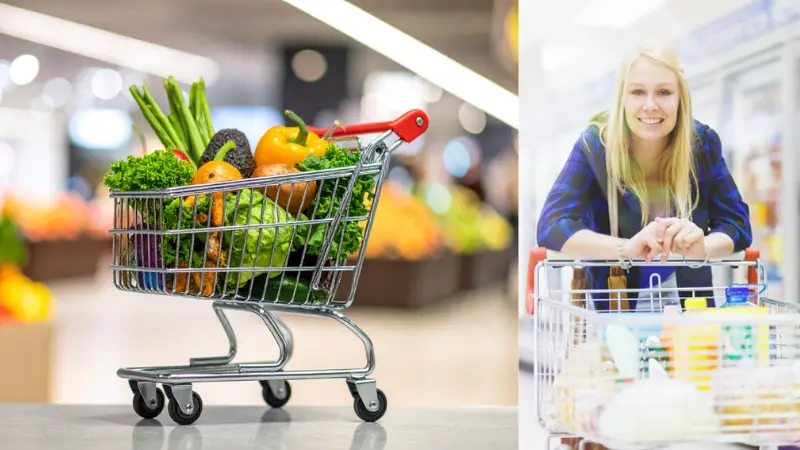
A Smart cart is a checkout-enabled shopping cart. The cart handles billing while the customer shops. Each item adds to the bill in real time. The customer does not stop at a checkout lane. The cart becomes the checkout point.
This changes the flow of the store. Checkout no longer sits at the exit. It moves into the aisle.
How Customers Use Smart Shopping Carts
The process stays simple. No training needed.
- The customer picks up a cart
- Items scan by barcode or auto-add by camera
- The total updates on the cart screen
- The customer pays on the cart
- The customer exits the store
No unloading. And rescanning and waiting in line. This is why AI Shopping Carts support faster store flow.
What’s Inside the Cart (Plain Language)
Each smart shopping cart includes core parts that support accuracy and speed.
- A built-in display for the customer and store prompts
- Item recognition by barcode, vision, or both
- Weight checks to confirm the correct item added
- A running total that updates instantly
- Offers and loyalty messages during shopping
- Payment completed on the cart itself
The system removes the final checkout step.
Why This Matters for Supermarkets
Smart Shopping Carts turn checkout into a background task. Customers finish while they shop. Stores gain faster exits without adding lanes. This is not a feature upgrade. It is a new checkout model built for high-traffic supermarkets.
How Smart Cart Technology Works Inside a Live Supermarket
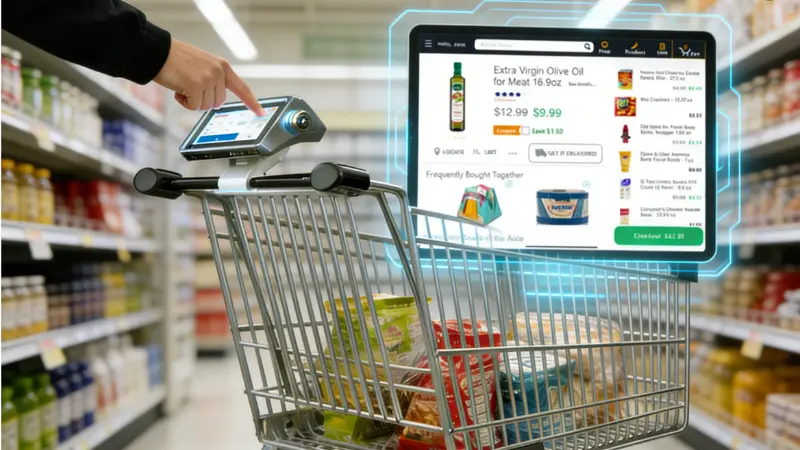
Smart carts do more than scan items. They manage checkout in real time while customers shop. Each system combines hardware, software, and AI to keep lines moving. Understanding how it works helps supermarkets choose the right solution.
1. Item Recognition & Accuracy
Smart carts identify products as customers shop.
- Barcode scanning: Works on packaged items. Fast and reliable.
- Computer vision: Detects items without barcodes, like produce.
- Hybrid systems: Combine barcode and vision for better accuracy.
Hybrid recognition is essential in grocery retail. It handles multipacks, irregular shapes, and weight differences. The system reduces mis-scans and prevents errors that slow checkout. Customers rarely need staff assistance.
2. Weight Sensors & Error Prevention
Weight sensors confirm items as they are added.
- They prevent accidental or fraudulent ads.
- False positives in self-checkout often stop lanes and require staff intervention.
- Smart carts automatically compare scanned items to the weight.
This reduces interruptions. Staff can focus on other tasks. Checkout stays smooth even during peak hours.
3. Payments, POS, and Store Systems
Smart carts integrate with existing store systems.
- They connect to POS and ERP for accurate pricing.
- Promotions, loyalty discounts, and pricing rules apply automatically.
- Stores do not need to replace existing systems.
Customers pay directly on the cart. The total updates instantly. Checkout stops being a bottleneck.
4. Hardware & IoT Layer
Smart carts rely on reliable hardware and connectivity.
- Batteries last an entire store day.
- IoT ensures stable communication with backend systems.
- Fleet monitoring allows stores to track cart usage and perform updates remotely.
This makes the system scalable and easy to manage across multiple aisles or locations.
Why Self-Checkout Hits a Throughput Ceiling
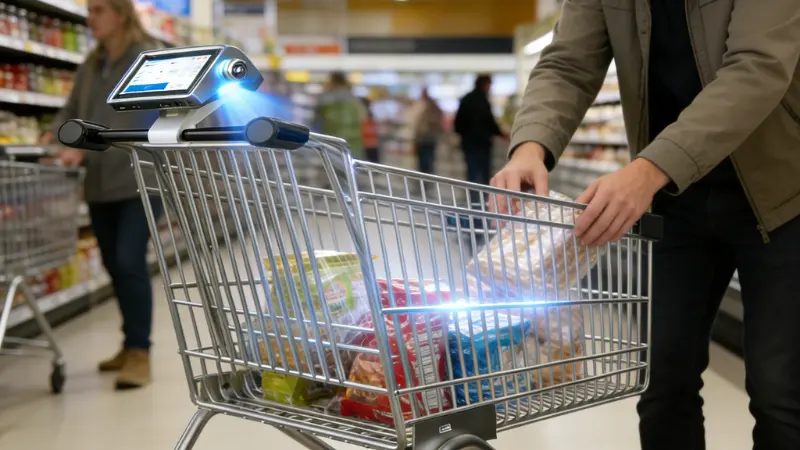
Self-checkout systems helped retailers reduce labor costs and give some customers more control over checkout. But they still hit a hard limit in high-volume supermarket settings. The key reason is simple: one station generally serves one customer at a time, and that design creates bottlenecks during busy periods.
One Station, One Customer
Each self-checkout kiosk can only serve one person at once. That means throughput can only scale by adding more machines. Even then, when customers struggle or ask for help, the bottleneck persists. Across thousands of grocery transactions, errors and interruptions often occur. About 67% of shoppers report at least one failure or stop during a self-checkout transaction, most commonly due to scanning or bagging issues.
Bagging and Errors Slow the Line
Self-checkout systems use sensitive weight scales and strict bagging rules. These are meant to prevent mistakes and shrinkage. But in practice, they stop the checkout flow. Common alerts like “unexpected item in bagging area” force the machine to pause and wait for staff help. This can add 45 seconds to 2 minutes of delay per interruption.
Age Checks and Staff Intervention
Age-restricted items require verification. Alcohol and similar products force the system to stop until a staff member confirms the purchase. Retail surveys show that age checks slow roughly 75% of relevant self-checkout transactions. Even though systems aim to save labor, staff still step in frequently, especially during peak hours.
Customers Hesitate, Restart, or Abandon
Complex interfaces also affect throughput. Some customers hesitate, make a mistake, restart the process, or abandon the scan entirely when lines form behind them. Studies show that nearly 50% of self-checkout transactions require some form of intervention to resolve an issue.
Bottlenecks at Peak Hours
Even when self-checkout is faster for small baskets, it can struggle under heavy load. Many stores now limit self-checkout to 10 items or fewer to keep lines moving and avoid delays. When large orders hit these lanes, throughput collapses into the same choke points self-checkout was meant to prevent.
In short, self-checkout optimizes labor and cost. But it does not solve the fundamental flow problem in high-traffic supermarket environments.
Smart Carts vs Self-Checkout: Throughput, Not Features
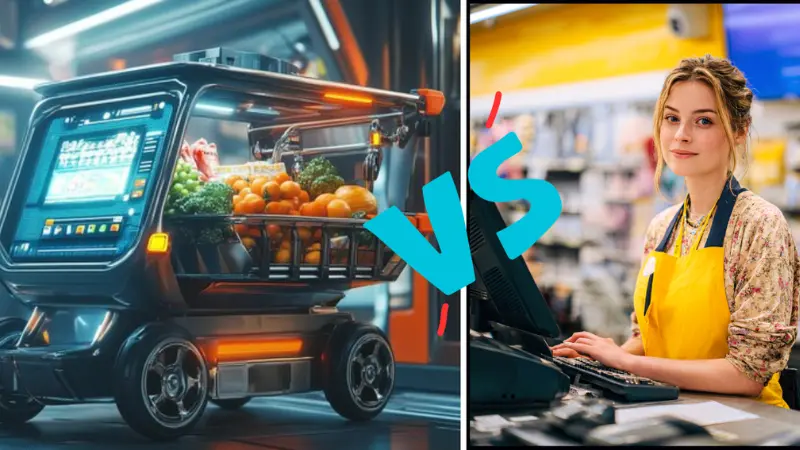
Supermarkets often compare smart carts with self-checkout. Both aim to speed checkout. The real difference is in throughput, not gadgets or features. Understanding this helps retailers choose the solution that moves more customers per hour and reduces bottlenecks.
The Difference Between Smart Carts & Self-checkout At a Glance
| Feature | Self-Checkout | Smart Cart |
|---|---|---|
| Customers Processed per Hour | 15–25 per lane | 60–90 per cart |
| Queue Dependency | High – single exit lane | Low – checkout happens in aisles |
| Staff Intervention Rate | Medium – 1 in 2 transactions may need help | Low – only occasional verification |
| Checkout Time per Basket | 3–5 minutes | 30–60 seconds |
| Floor Space Usage | Dedicated lane required | Uses existing aisles |
| Scalability During Peak Hours | Limited – requires more kiosks | High – more carts equal more throughput |
This table highlights why throughput improves dramatically with smart carts. They reduce queue dependency and staff intervention. Each cart acts as an independent checkout point.
The Structural Difference
Self-checkout centralizes checkout in one location. Lines form naturally. Bottlenecks happen during peak hours. Smart carts distribute checkout across the floor. Every customer completes payment while shopping.
Throughput improves because checkout no longer waits for space in a lane. Staff intervention drops. Peak-hour congestion eases. Stores can process more customers without adding lanes or machines.
Smart carts shift the problem from faster stations to smarter flow. They turn the aisle into a checkout lane and eliminate structural limits.
How Smart Carts Increase Customer Throughput in Practice
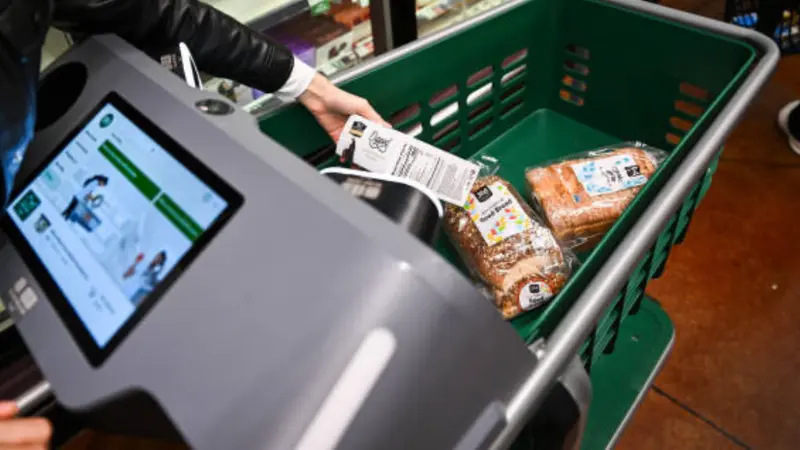
Smart carts change how checkout works in the store. They move the checkout into the shopping experience itself. Customers add and pay for items as they shop. This simple shift reduces exit lines and increases throughput. Smart carts are a practical answer to peak‑hour congestion, not just a new gadget.
No Exit Queue = Faster Store Turnover
Smart carts eliminate traditional checkout lines. The customer scans or auto‑adds items while they shop. This removes the final stop at a checkout lane. Retail studies show that systems where checkout happens continuously can reduce average checkout time by up to 90% compared with conventional models.
Without an exit queue, stores process more customers per hour. Peak periods no longer bottleneck at the exit. Throughput becomes limited only by how fast customers move through the store…not how fast they can pass a lane.
Checkout Happens During Shopping, Not After
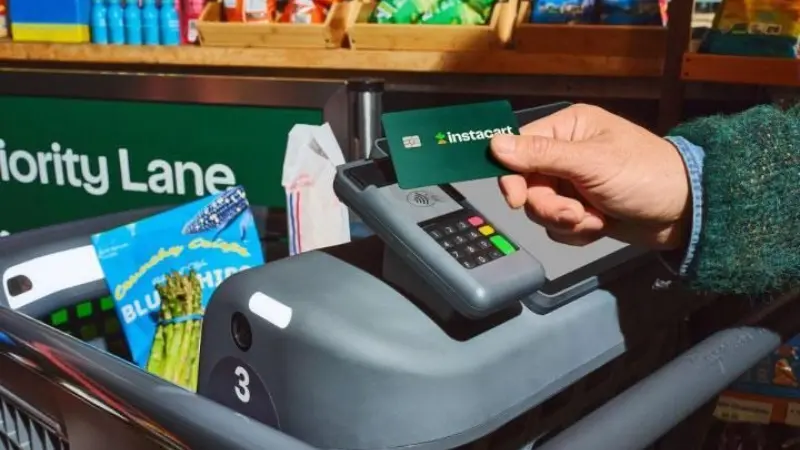
Smart carts build the bill in real time. Customers see the running total as they add items. This contrasts with self‑checkout systems, where scanning happens at the end. Systems that combine scan‑as‑you‑go with in‑cart processing significantly reduce total time spent on checkout tasks.
When customers finish shopping, they simply pay for the cart. There is no rescan, no waiting, and no bagging delay. This alone can cut overall transaction time dramatically during high traffic.
Bottlenecks Dissolve Across the Floor
Instead of everyone heading to one zone, checkout spreads across aisles. Smart carts act as mobile checkout points. This disperses traffic so bottlenecks no longer cluster at fixed endpoints. Studies of cashierless and smart systems show a measurable decrease in wait times when checkout is distributed.
Peak Hours Scale Naturally
Smart carts scale with demand without adding lanes. During weekend rush or after work, stores often struggle to open enough checkout stations. With smart carts, each cart is a checkout point. Stores handle surges without building new infrastructure. Some deployments report a 30% rise in throughput and customer satisfaction after adding smart carts.
Operational Benefits Supermarkets Actually Care About
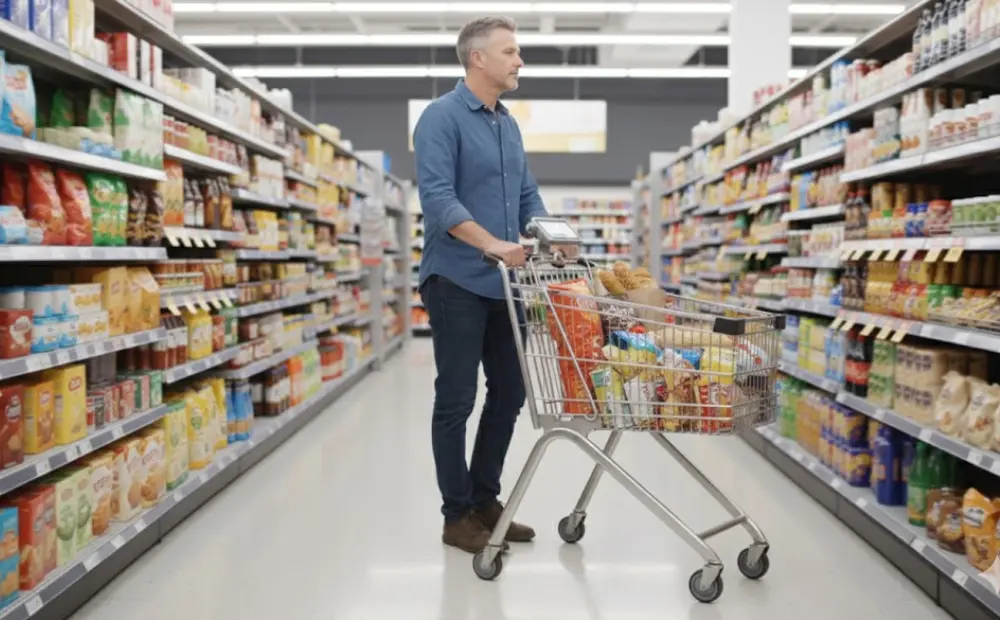
Smart carts do more than speed checkout. They improve daily store operations. These benefits matter most to owners and operations teams because they affect cost, flow, and control.
Reduced Cashier Staffing Pressure
Smart carts reduce the load on checkout staff. Customers complete checkout on the cart. Fewer people are needed at exit lanes. Staff no longer jump between machines to fix scan errors. This stabilizes labor planning and reduces stress on teams.
Higher Basket Value Through In-Cart Prompts
Smart carts show the running total while customers shop. They can also show simple prompts. These include reminders, bundle offers, or loyalty messages. Customers see these prompts at the right time, not at the register. The result is a higher average order value without pushing staff or changing shelf layouts.
Better Inventory Visibility
Each item adds to the cart in real time. This creates accurate item-level data. Stores gain clearer insight into what moves, when it moves, and where it moves. Inventory updates faster than with exit-only checkout. This helps teams plan restocks, reduce empty shelves, and avoid over-ordering.
Lower Error-Driven Shrinkage
Errors cause losses. Missed scans, double scans, and bagging issues all add risk. Smart carts reduce these errors through item checks and weight confirmation. Fewer mistakes mean fewer write-offs. Staff also intervene less often, which reduces manual overrides that can lead to shrinkage.
Cleaner Store Exits
Smart carts remove exit congestion. Customers do not cluster at checkout lanes. Exits stay open and transparent. This improves safety, flow, and loss prevention. Clean exits also improve the final store experience, which affects return visits.
ROI of Smart Cart Systems: Where the Numbers Come From
The return on a smart cart system comes from daily operations. Not from software promises. Stores see value where checkout costs and delays already exist.
Labor Cost Reduction
Smart carts reduce pressure at checkout. Fewer staffed lanes are needed. Staff spend less time fixing scan errors or age checks. Labor shifts to higher-value tasks on the floor. This creates steady cost control without cutting service quality.
Peak-Hour Sales Recovery
During rush hours, checkout limits sales. Smart carts remove that limit. Customers finish without waiting. Fewer shoppers abandon full baskets. Stores capture sales that would otherwise stall at the exit.
Faster Customer Turnover
Checkout happens during shopping. Customers leave faster. This increases store capacity during busy periods. More customers move through the same space without expansion.
Lower Support Overhead Than Self-Checkout
Self-checkout needs constant staff help. Smart carts reduce these calls. Fewer pauses. Fewer overrides. Support effort drops over time.
A Simple ROI Model
Short term: labor balance and smoother peaks.
Long term: higher sales capture and better store flow.
This is how a Retail Smart Cart System delivers real returns.
Choosing the Right Smart Cart Hardware Provider
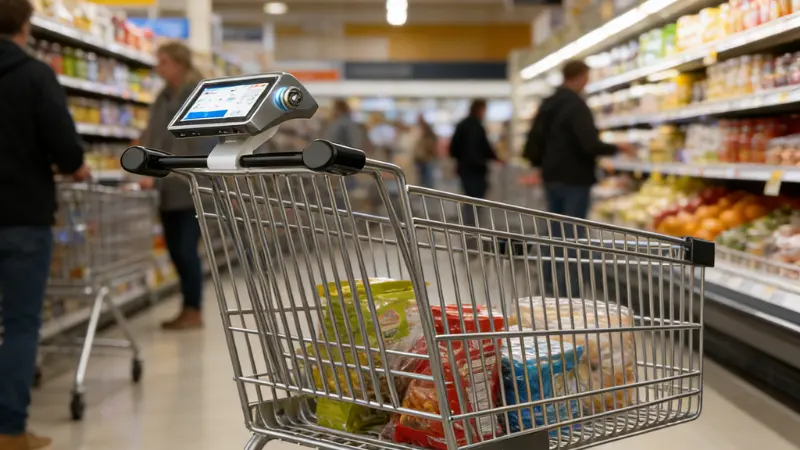
Smart carts only work as well as the hardware behind them. Software demos look good in meetings. Hardware performance decides success on the store floor. Supermarkets need systems that run all day, every day, under real pressure.
Hardware Matters More Than Software Demos
Smart carts move through crowded aisles. They hit shelves. Customers lean on them. Hardware must handle this reality.
Key points to evaluate:
- Cart durability: Frames must support daily use without bending or loosening.
- Sensor reliability: Item detection must stay accurate even after months of use.
- Battery lifespan: Carts should last a full store day on one charge.
- Display protection: Screens must resist impact, spills, and constant touch.
If hardware fails, checkout fails. No software update can fix broken carts during peak hours.
Scalability and Integration
Smart carts must fit into existing store systems. They should not force a rebuild of checkout or IT.
What supermarkets should expect:
- Works with current POS and pricing systems
- Supports store rules, promotions, and loyalty programs
- Allows modular upgrades without replacing the full cart
- Includes fleet monitoring for battery, usage, and health
Scalability matters most during growth. Adding more carts should feel simple. Stores should not depend on manual checks or frequent maintenance.
Why OEM and ODM Capability Matters
Many providers sell finished products with fixed designs. This limits flexibility.
OEM and ODM capability gives supermarkets control:
- Custom branding that matches the store’s identity
- Cart layouts adapted to aisle width and basket size
- Hardware tuned for local store conditions
- Long-term support and spare part availability
This is where a hardware-first partner makes the difference. Providers like SwiftForce focus on supermarket-ready builds, not concept devices. They design carts for daily retail use, not short trials.
Where Smart Shopping Carts Are Headed Next
Smart shopping carts will not change overnight. The next phase focuses on steady improvements that fit real supermarket operations. These changes aim to reduce friction further without adding complexity.
Vision-First Recognition Gets More Accurate
Camera-based item recognition continues to improve. Systems rely less on manual scans for everyday items. This helps with produce and loose goods. Accuracy improves through better training on real store data. The goal is fewer prompts and fewer corrections during shopping.
Smaller Smart Baskets Enter High-Traffic Stores
Not every shopper needs a full cart. Smaller, thoughtful baskets suit quick trips and urban stores. These baskets keep the same checkout flow but use lighter hardware. They help stores serve after-work traffic without crowding aisles.
Deeper Loyalty Integration Inside the Cart
Loyalty systems move closer to the customer. Smart carts show offers tied to past purchases. Prices and rewards apply instantly. This removes confusion at checkout and builds trust. Customers see value while they shop, not after they pay.
Data That Improves Store Layout Decisions
Smart carts collect movement and item data. This shows where shoppers slow down, turn back, or skip sections. Stores use this data to adjust layouts and product placement. The result is smoother flow and better shelf performance without guesswork.
Final Take: The Exit Should Never Be the Bottleneck
Checkout should never be the factor that limits how many customers your store can serve. While self-checkout works well for simple transactions, it often hits its limit during peak hours.
Smart carts take a different approach. Instead of relying on a single checkout point, they distribute the checkout process across the store and reduce the need for exit queues altogether. This keeps traffic moving even when your store is at its busiest. For supermarkets, this is not a trend. It is a response to absolute pressure.
Ready to discover how this solution fits your specific operational environment?
If you’re looking to reduce checkout bottlenecks and improve in-store flow, it’s worth exploring how smart carts and modern POS systems can work within your existing setup.
Book a call with SwiftForce and see which POS approach suits your retail format.
Let’s help you create a checkout experience that keeps your store moving—no matter how busy it gets.