
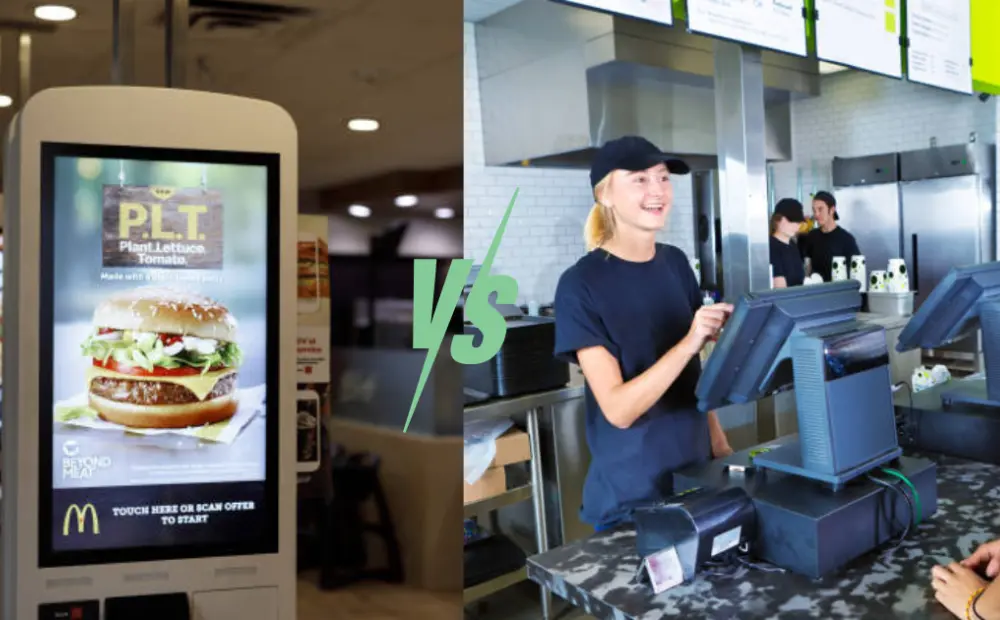
McDonald’s uses kiosks because labor is expensive and customers expect speed. Many chains now ask the same question. Do kiosks really beat counter ordering? This article compares both models in simple terms. You will see real cost drivers, order speed, staffing needs, and scale limits. It is built for restaurant operators and decision makers who need data, not opinions.
McDonald’s Self-Ordering Kiosks Explained
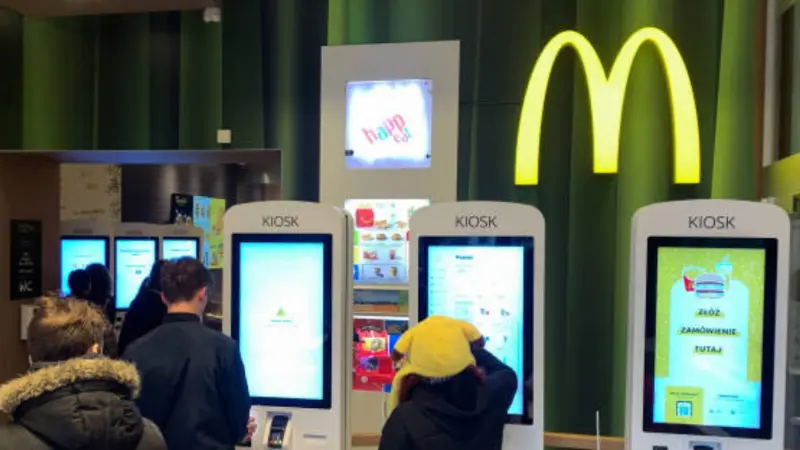
A McDonald’s self-ordering kiosk is a large touchscreen device that lets customers place and pay for orders without speaking to staff. It replaces part of the front counter process.
- Touchscreen menu navigation: Customers browse the full menu, customize items, and review prices on the screen.
- Payment options: Customers pay with cards, contactless taps, and mobile wallets. Some markets also support cash through separate machines.
- Order routing: Once paid, the order is routed directly to the kitchen system. Staff does not retype it.
This setup reduces queue pressure and front counter workload.
How Kiosks Integrate with Restaurant Systems
Self-ordering kiosks do not work alone. They connect with core restaurant systems.
POS integration: The kiosk sends each order to the point-of-sale system in real time. This keeps sales data and receipts in one place.
Kitchen display systems: Orders appear on kitchen screens the same way as counter orders. This keeps the kitchen flow consistent.
Inventory and analytics: Each order updates stock levels and feeds data dashboards. Operators can track menu performance, upsells, and customer behavior.
This integration enables chains to manage thousands of stores with a single system logic.
Typical Kiosk Deployment Model in McDonald’s
McDonald’s uses kiosks as part of a hybrid ordering model.
Most locations use 2 to 8 kiosks, based on store size and traffic. High-volume stores use more units. Kiosks are located near the entrance or the ordering zone. This prompts customers to place their orders before they reach the counter.
Customers can still order at the counter, drive-thru, or mobile app. Kiosks handle in-store digital orders and reduce counter load. This model balances automation with human service.
How Traditional Counter Ordering Works (& Its Limitations)

Traditional counter ordering is the standard front-of-house model in quick-service restaurants. Here’s how it works;
Step-by-Step Counter Ordering Flow
Step 1: Customer queues
Customers stand in a single line until they reach the cashier. Queue length depends on staff count and order complexity.
Step 2: Cashier order entry
The cashier listens to the order and enters it into the POS system. They handle custom requests, modifiers, and upsells manually.
Step 3: Payment and order relay
The cashier takes payment and sends the order to the kitchen display system. The kitchen prepares the order after confirmation.
This flow creates a linear process. Each customer depends on the cashier’s speed.
Staffing Dependency and Training Requirements
Counter ordering relies heavily on front-of-house staff. Cashiers need training on the POS system, menu knowledge, and customer service. Managers must schedule enough staff for peak hours.
High staff turnover increases training costs and reduces service consistency. Human errors in order entry and payment processing can result in remakes and refunds.
Peak-Hour Bottlenecks in Counter Ordering
Traditional counters struggle during rush periods.
Queue buildup: One slow order can block the entire line. This increases wait time and customer drop-off.
Communication errors: Cashiers may mishear orders, especially in noisy kitchens or busy stores. This reduces order accuracy.
Menu upsell limits: Cashiers have a limited time to suggest add-ons during rush hours. This reduces the average order value.
These bottlenecks limit throughput and revenue during the most critical hours.
Self-Service Kiosk vs Traditional Counter Ordering: Core Operational Differences
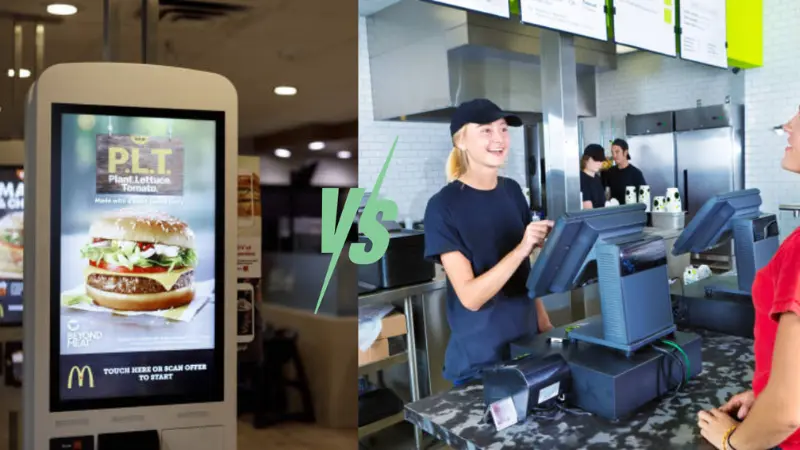
Self-service kiosks and counter ordering follow very different operating models. The differences affect speed, labor cost, and scale. Restaurant chains must understand these gaps before they invest.
Operational Model Comparison
- Parallel ordering vs single-line ordering
Self-service kiosks allow many customers to order at the same time. Each kiosk acts as a separate order point. Counter ordering uses a single line per cashier. One slow order slows everyone behind it.
- Digital vs human interaction
Kiosks guide customers through the menu on a screen. Customers control the order flow.
Counter ordering depends on a cashier to listen, enter items, and confirm details. Human speed and accuracy vary from person to person and shift to shift.
- Order flow control
Kiosks push completed orders straight to the kitchen system. Counters rely on manual entry and verbal confirmation. This adds time and risk.
Staffing and Labor Structure
Self-service kiosks reduce the need for front counter staff. Chains often cut cashier roles and redeploy staff to food prep and order handoff. This shift improves kitchen output and customer pickup speed.
Counter ordering requires more cashiers during peak hours. Managers must schedule extra staff for lunch and dinner rush. Labor costs rise fast during busy periods.
Scalability and Consistency Across Locations
- Standardized menu flows
Kiosks use the same menu layout, pricing, and upsell prompts across all stores. This ensures a consistent customer experience.
- Centralized updates
Chains can update menus, prices, and promotions from a central system. Changes are applied to thousands of kiosks at once. Counter ordering depends on staff training and printed menus. Consistency varies by store, manager, and shift.
In short:
Self-service kiosks scale through software.
Traditional counters scale through people.
Cost Comparison: McDonald’s Kiosks vs Counter Staff
Cost is the main driver behind McDonald’s kiosk adoption. Kiosks require upfront investment.
Counter staff require ongoing labor spend. The financial trade-off depends on traffic, labor rates, and store scale.
McDonald’s Kiosk Cost Breakdown
- Hardware cost per touchscreen ordering kiosk
A single touchscreen ordering kiosk typically costs $15,000 to $35,000 per unit. High-end models with large screens and payment modules cost more.
- Software licensing and integration
Chains pay for kiosk software, POS integration, and security tools. This often costs $1,000 to $5,000 per kiosk per year.
- Installation and network upgrades
Stores may need new wiring, mounting, and network upgrades. This can add $5,000 to $20,000 per store.
- Maintenance and lifecycle (5–7 years)
Kiosks need cleaning, repairs, and hardware refresh cycles. Annual maintenance can account for 5–10% of hardware costs. Most chains plan a 5- to 7-year lifecycle.
Kiosks are a fixed capital expense.
Labor is a recurring operating expense.
Counter Staff Cost Structure
- Hourly wages by region
Cashier wages vary widely by country and city. In many markets, wages range from $10 to $20 per hour.
- Training and onboarding
New hires need POS training, menu training, and service training. Training time reduces productive hours.
- Turnover and rehiring costs
QSR turnover often exceeds 100% per year. Hiring and training new staff adds hidden costs.
- Scheduling inefficiencies
Managers overstaff to avoid long lines. Understaffing hurts speed and sales. Labor scheduling is hard to optimize.
Counter ordering keeps labor as a variable cost that scales with traffic.
Long-Term Cost Scenarios (3-Year and 5-Year)
Cost impact depends on store traffic and labor rates.
- High-traffic urban store
Kiosks replace multiple cashiers per shift.
Break-even can occur in 12 to 24 months.
- Mid-volume suburban store
Kiosks reduce some cashier hours.
Break-even often occurs in 2 to 4 years.
- Low-volume rural store
Kiosks offer limited labor savings.
Break-even may take 5 years or more, or never occur.
Cost Comparison Table: Kiosks vs Counter Staff
| Factor | Self-Service Kiosks | Counter Staff |
|---|---|---|
| Cost Type | CAPEX (upfront) | OPEX (ongoing) |
| Typical Cost | $15K–$35K per kiosk | $10–$20 per hour per cashier |
| Software & Support | $1K–$5K per year | Included in labor |
| Installation | $5K–$20K per store | None |
| Annual Maintenance | 5–10% of hardware cost | Not applicable |
| 3-Year Cost | Lower in high-volume stores | High and recurring |
| 5-Year Cost | Predictable and capped | Increases with wages |
| Break-Even Period | 1–4 years | No break-even |
| ROI Range | 15%–40%+ in high traffic | Negative for automation ROI |
Key insight:
Kiosks make sense when labor is expensive and traffic is high.
Counters make sense when traffic is low and wages are cheap.
Speed Comparison: Ordering Time and Throughput
Speed is a core reason McDonald’s adopted kiosks. Faster ordering means shorter lines, higher sales, and better customer experience. Kiosks and counters behave very differently under load.
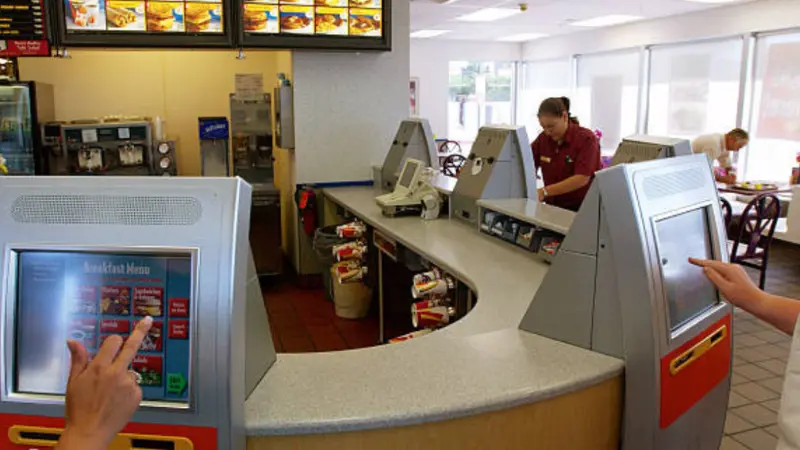
Average Ordering Time per Customer
- Kiosk ordering time benchmarks
Most customers take 45 to 90 seconds to place an order on a kiosk. Repeat customers order faster. New customers take longer due to browsing.
- Counter ordering time benchmarks
Counter ordering often takes 60 to 120 seconds per customer. Complex orders take longer. Cash handling slows the process.
- Impact of menu complexity and modifiers.
Kiosks guide customers through options with prompts and visuals. Counters rely on verbal communication. Complex menus slow counters more than kiosks.
Peak-Hour Throughput and Queue Reduction
- Parallel kiosk usage
Multiple kiosks process orders simultaneously. Four kiosks can serve four customers at once. This removes the single-line bottleneck.
- Counter throughput limits
One cashier serves one customer at a time. Adding speed requires more staff and more counter space. This increases labor cost and floor space use.
- Impact on average wait time
Kiosks reduce queue length during rush periods. Customers spend less time waiting and more time ordering. Shorter waits reduce walkouts and lost sales.
Order Accuracy and Rework Impact
Kiosks display the full order before payment. Customers confirm items and modifiers, which reduces wrong orders.
Higher accuracy means fewer remakes. Fewer remakes reduce food waste and staff workload.
Speed Comparison Table: Ordering Time and Throughput
| Factor | Self-Service Kiosks | Counter Ordering |
|---|---|---|
| Avg Order Time per Customer | 45–90 seconds | 60–120+ seconds |
| Customers Served at Once | 2–10+ (depends on kiosk count) | 1 per cashier |
| Peak-Hour Throughput | High and scalable | Limited by staff count |
| Queue Length | Shorter with enough kiosks | Grows fast during rush |
| Order Accuracy | High due to on-screen review | Lower due to verbal errors |
| Remakes and Refunds | Lower | Higher |
| Impact on Wait Time | Reduces wait time | Increases wait time under load |
Why Touchscreen Ordering Kiosks Improve Speed
Because of these three features, kiosks improve speed.
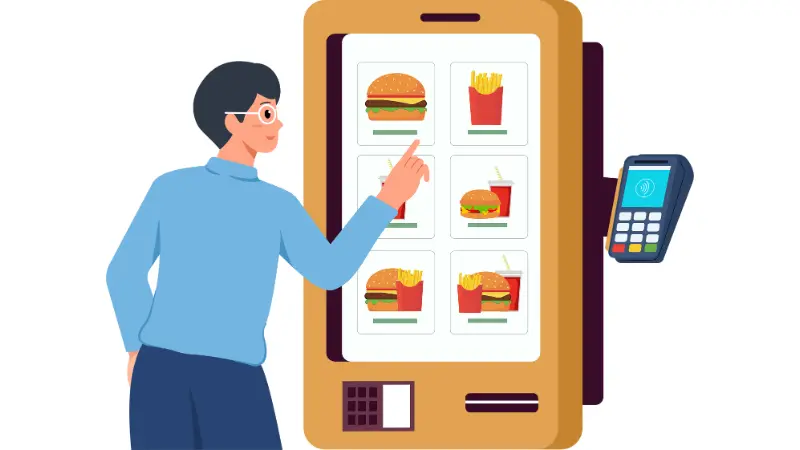
UI-Driven Decision Flow
Kiosks guide customers through a fixed path. They show categories, meals, and modifiers in a set order. They use images and large buttons to speed decision-making, reducing hesitation and backtracking.
Studies show that visual menus help customers decide faster and reduce order time compared to verbal menus.
Automated Upsell and Default Options
Kiosks show default combos, add-ons, and size upgrades. Customers see prompts without having to ask a cashier. This speeds up ordering because the system suggests the next step. And it also increases average order value without slowing down the staff.
McDonald’s reported higher order values after the kiosk rollout, driven by digital upsell prompts.
Reduced Communication Friction
Kiosks remove language and hearing barriers. Customers do not repeat orders. Cashiers do not retype corrections.
Research shows that self-service kiosks reduce ordering errors and remakes in QSR settings.
Kiosk Ordering Systems for Restaurant Chains
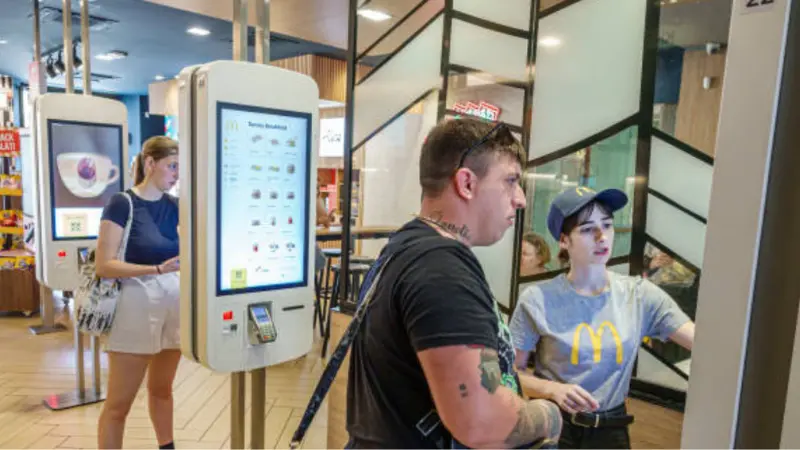
Kiosk ordering systems let chains manage digital ordering at scale. They are more than individual machines. Each kiosk connects to a central system that controls menus, pricing, and reporting.
Why Chains Like McDonald’s Scale Kiosks
Chains deploy kiosks at every location to handle high traffic efficiently.
- Standardization across stores:
Menus, pricing, and promotions appear the same across all restaurants. Customers experience uniform ordering across stores.
- Centralized updates:
Chains push menu changes, seasonal promotions, and price adjustments from headquarters. Updates happen instantly on all kiosks. This eliminates delays and reduces errors compared to manual updates.
- Staff efficiency:
Fewer cashiers are needed at the front counter. Staff focus shifts to kitchen operations and order handoffs.
How Kiosk Data Helps Chains Improve Operations
Kiosk systems capture real-time order data. Chains can see which items sell fastest, which combos are most popular, and when ordering peaks. They can track when customers add suggested items or upgrades. This shows which prompts increase average order value.
What Chains Must Consider When Deploying Kiosks Enterprise-Wide
Scaling kiosks requires more than installing hardware. Kiosks need stable internet connections to process orders and sync data with POS systems. Downtime reduces orders and slows service. Payment data and customer information must be protected. Chains need PCI-compliant software and regular security updates.
Kiosks require maintenance, repairs, and eventual hardware refresh every 5–7 years. Planning ensures consistent service across all stores.
How Kiosk Data Helps Chains Improve Operations
Real‑Time Order Tracking
Kiosk systems record every order as it happens, which helps chains see what sells right now. They know peak hours and slow periods, which lets them adjust staffing before crowds build.
Item and Combo Performance
Kiosks show which items sell fastest. They also show which combos and add‑ons customers choose. This helps identify what drives higher revenue.
Labor and Schedule Planning
Data shows when orders peak and when demand drops. Managers use this to schedule staff more accurately. This cuts idle labor costs and improves service.
Menu and Promotion Decisions
Chains test new items or pricing with real kiosk data. They measure what works before full rollout. This reduces guesswork and supports smarter menu planning.
Custom Self-Ordering Kiosks vs Standard Models
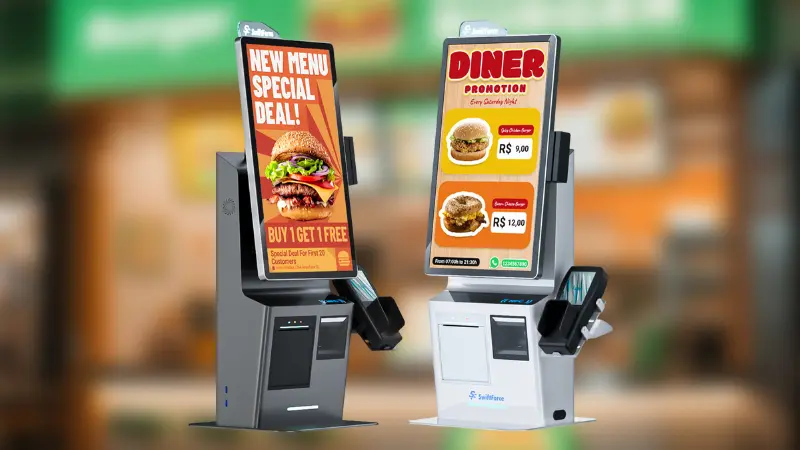
Not all restaurants benefit from standard kiosks. Some chains need customization to match their brand and operations. Custom kiosks can handle unique menus, loyalty programs, or regional payment options. They are ideal when off-the-shelf solutions cannot meet operational or customer experience goals.
When Customization Makes Sense
Custom kiosks make sense for:
- Unique menus: Complex or seasonal menus that change frequently.
- Loyalty integration: Linking orders directly to loyalty programs and personalized offers.
- Regional payment methods: Supporting local card systems or mobile wallets not included in standard kiosks.
Hardware and Software Customization Options
Customization includes hardware and software:
- Hardware: Screen size, rugged enclosures, ADA-compliant access, or integrated printers.
- Software: UI design, branded flows, item presentation, and upsell prompts.
These adjustments ensure the kiosk aligns with the store layout, brand, and customer expectations.
Pros and Cons Compared to Off-the-Shelf Kiosks
Pros:
- Tailored for brand and operational needs
- Supports specialized menus or promotions
- Can integrate loyalty or regional payment options
Cons:
- Higher upfront cost
- Longer deployment time
- Increased maintenance complexity
Custom kiosks are best when a standard solution cannot deliver the needed customer experience or operational control. They give chains flexibility but require careful planning and investment.
When Is a Self‑Service Kiosk Better Than Counter Ordering?
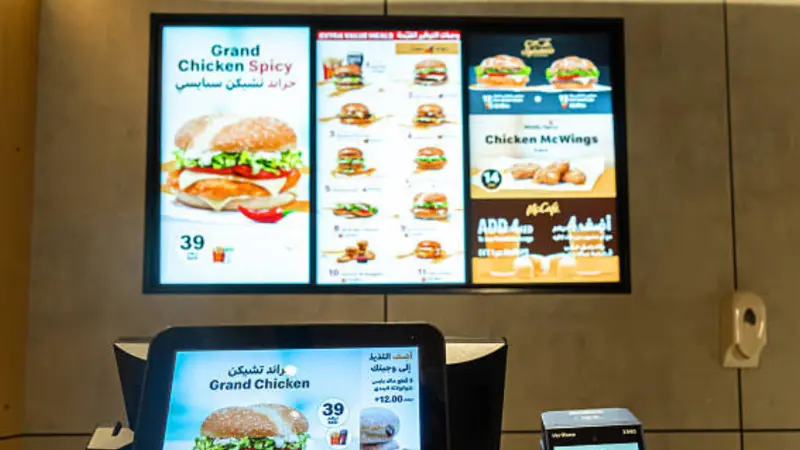
Self‑service kiosks are not one‑size‑fits‑all. They shine in specific operational and market conditions. Use them where they deliver clear speed, labor, or sales value.
High‑Volume QSR Locations
In airports, malls, and urban centers, traffic can be heavy. Kiosks let many customers place orders at once. This spreads demand across screens rather than lining up at a single counter. Research shows kiosks can serve more guests and cut wait times dramatically in busy quick‑service settings.
Markets with Rising Labor Costs
Labor shortages and rising wages tighten margins. Self‑service kiosks act as a “digital cashier” that works without ongoing hourly costs. Chains can reassign staff to kitchen roles and to customer care instead of order-taking. This helps keep service levels high without adding labor expenses.
A Technomic report found that most kiosk adopters saw better labor productivity, with fewer staff needed at the register during peak periods.
Brands with Standardized Menus
Kiosks work best when menus don’t vary wildly by location. Fast food and limited‑service restaurants with fixed items see the most benefit. Standard menus make kiosk flows simple and predictable. Customers order faster when categories and options remain consistent, which improves speed and accuracy across all stores.
FAQs About McDonald’s Self-Service Kiosk vs Counter Ordering
How much does a McDonald’s self-ordering kiosk cost?
A kiosk typically costs $15,000–$35,000 per unit, plus software, installation, and maintenance. Costs vary by model and store setup.
Are kiosks faster than counter staff?
Yes. Kiosks can reduce order time by 30–40%, especially during peak hours, by allowing multiple customers to order simultaneously.
Can kiosks fully replace cashiers?
Not entirely. They handle standard orders efficiently. Staff is still needed for complex orders, upselling, and customer support.
Do kiosks increase order accuracy?
Yes. Customers input their orders directly. This reduces errors from miscommunication and lowers food remakes.
Is a custom self-ordering kiosk worth it for restaurant chains?
Custom kiosks make sense for chains with unique menus, loyalty programs, or regional payment needs. They cost more but offer flexibility and higher operational control.
Final Take: Key Takeaways from McDonald’s Cost and Speed Model
Self-service kiosks reduce wait times, improve order accuracy, and cut staffing needs. They help restaurants move faster and handle high volumes more efficiently.
At the same time, human staff remains critical for upselling, customer questions, and handling custom requests.
That’s why many successful brands adopt a hybrid approach, combining kiosks with staff support to balance speed and service.
Real-world deployment data continues to show consistent gains in throughput and average order value. Restaurants with standardized menus and high customer traffic benefit the most from this model.
CTA: Find the Right Ordering Setup for Your Locations
If you’re exploring how to improve speed and efficiency in your restaurant, the right mix of self-service kiosks and POS systems can make a measurable difference.
Book a call with Swiforce and see which ordering solution fits your locations.