
System instability is the number one complaint I hear from integrators in the field. Not pricing. Not lead times. Instability. A POS unit that locks up mid-transaction, a kiosk touchscreen that stops responding, a device that needs a daily reboot just to stay functional — these are not minor inconveniences. They are revenue killers. And in my experience, most of these failures are preventable.
What I keep seeing is operators treating symptoms instead of causes. They reboot the device, it works for a day, and they move on. Then it happens again. And again. That cycle is expensive and exhausting. According to NRF research, unplanned system downtime at the point of sale directly impacts customer satisfaction and store-level revenue. This is not a small problem.
This article is for system integrators, software vendors, and distributors who are tired of fielding the same support calls. We are going to talk about the real causes of POS hardware instability, touch failure patterns, and what a reliable deployment actually looks like.
What Causes POS System Instability?
POS system instability can take many forms. A terminal may become slow, peripherals may disconnect, touchscreen input may stop working, or transaction data may fail to synchronize correctly.
Although the symptoms can look different, many problems can be grouped into several common categories.
1. POS Devices and Peripherals Are Not Recognized
One common problem occurs when peripherals such as barcode scanners, receipt printers, label printers, or card readers suddenly disappear from the POS system.
The software may report that a device is unavailable even though it was working normally earlier in the day.
Possible causes include:
- USB driver conflicts
- USB power management
- Incorrect device configuration
- Incompatible peripheral drivers
- Insufficient USB power
- Operating system updates that affect device compatibility
On Windows-based POS systems, USB power management can sometimes cause connected peripherals to enter a low-power state or become temporarily unavailable.
For commercial POS deployments, peripheral compatibility should therefore be tested together with the complete hardware and software configuration rather than independently.
2. Transaction Lag and System Freezing
Transaction delays are another common source of frustration.
A cashier may tap the screen to complete a transaction, but the POS system takes several seconds to respond. In more serious cases, the interface may completely freeze.
This can be caused by:
- Insufficient RAM
- Slow storage
- CPU limitations
- Excessive background processes
- Poorly optimized POS software
- High system resource usage during peak periods
A POS terminal may appear to perform well during basic testing but become unstable when running the complete software environment, peripheral drivers, payment applications, and background services simultaneously.
This is why hardware selection should be based on the actual software workload, rather than simply choosing the lowest-cost configuration.
For larger retail deployments, organizations should also consider the operational impact of system downtime and slow transaction processing. Research from the National Retail Federation (NRF) provides broader insight into the role of technology and operational reliability in modern retail environments.
3. POS Data Fails to Synchronize

A POS system may continue operating locally while its inventory, transaction, or order information fails to synchronize correctly with a back-office system.
For example, the POS terminal may display one inventory quantity while the back-office platform shows another.
Common causes include:
- Unstable Wi-Fi
- Network configuration problems
- Temporary connectivity loss
- Incorrect synchronization schedules
- High network traffic
- Poor wireless coverage
For fixed POS terminals in retail stores and restaurants, wired Ethernet can often provide a more stable connection than relying entirely on Wi-Fi.
Network reliability is particularly important when multiple POS terminals, kitchen display systems, payment devices, and back-office systems are operating simultaneously.
4. Touchscreen Becomes Unresponsive
A touchscreen that stops responding is particularly disruptive because it directly affects the primary user interface.
The cause may be related to:
- Touch controller drivers
- Touch firmware
- Thermal conditions
- Operating system issues
- Memory or software problems
- Hardware failure
The key challenge is determining whether the problem originates from the touchscreen hardware itself or from the software and driver environment.
That distinction is important because replacing the entire POS terminal may not be necessary if the underlying problem is actually a driver or firmware issue.
Intermittent Touchscreen Failure: Why Is It So Difficult to Diagnose?
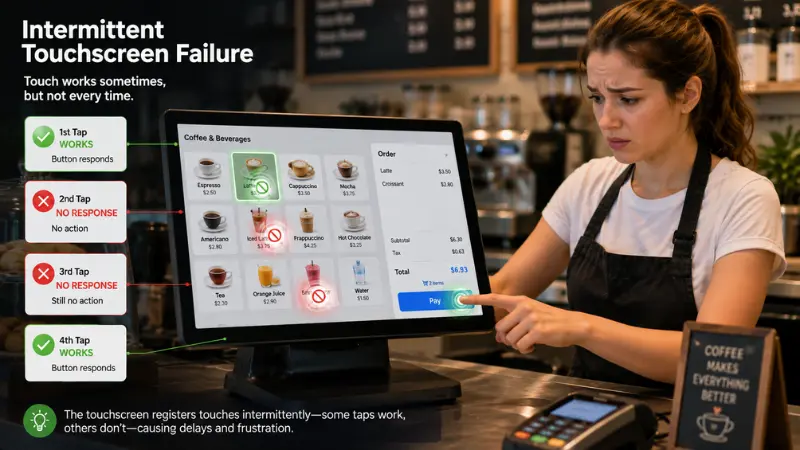
Intermittent touchscreen failure can be more difficult to diagnose than a complete hardware failure.
When a device fails completely, you replace it. Done. But when it fails sometimes — works fine for four hours, then goes dead for twenty minutes, then comes back — you end up chasing ghosts. The device passes your bench test. The technician shows up and it is working fine. But the end user knows what they experienced.
Why Does Restarting the POS Terminal Help?
A reboot fixes it temporarily. Because the reboot resets the touch controller driver stack. That is all. The underlying condition — firmware instability, heat accumulation, driver memory leak — has not changed. The next failure is already scheduled.
Consumer Touchscreens vs. Commercial POS Touchscreens
One important consideration is the operating environment.
This pattern is common in consumer touchscreen devices used in light commercial roles. The touch controller firmware is not built for the thermal cycles and continuous input load of a retail environment. A device designed for a few hours of casual daily use behaves differently when it is powered on and actively touched for ten to fourteen hours straight.
Commercial deployments can involve:
- Long operating hours
- Continuous touchscreen input
- Higher ambient temperatures
- Frequent customer or employee interaction
- Dust and other environmental factors
- Continuous peripheral communication
According to RBR research on self-service terminals, touch panel reliability is a top hardware concern in high-traffic deployments. This is consistent with what we see on the ground.
For commercial deployments, you need hardware with an industrial-grade touch controller, proper thermal management, and firmware that is maintained and updated. Consumer devices in commercial roles are always a compromise. Sometimes it works. Often it does not.
How to Diagnose POS Hardware Problems
When a POS system becomes unstable, replacing the hardware immediately is not always the best first step.
Here is the framework I use when a customer calls with an unstable system. Work through this in order before you touch any hardware.
POS Troubleshooting Framework
| Symptom | Likely Cause | First Check | Typical Fix |
|---|---|---|---|
| Device not recognized | USB power management/driver conflict | Device Manager, event log | Disable USB selective suspend, update drivers |
| Transaction lag | Hardware underspecced for software load | CPU and RAM usage at peak time | Upgrade RAM or storage, close background processes |
| Data not syncing | Network dropout or sync config error | Wi-Fi signal strength, sync logs | Move to wired LAN, fix sync schedule |
| Touch unresponsive | Touch controller driver / thermal issue | Device temperature, driver version | Update touch firmware, improve ventilation |
The table above covers the most common cases. Print it. Share it with your tier-one support team. It saves a lot of back-and-forth.
Check the Installation Environment
Hardware specifications are only one part of system reliability.
The physical installation environment can also have a significant impact on POS performance.
For example, a POS terminal installed inside an enclosed cabinet with insufficient ventilation may experience higher operating temperatures than the same device installed in an open environment.
When troubleshooting an unstable POS system, check:
Ambient Temperature
High temperatures can affect processors, storage devices, touch controllers, and other electronic components.
Airflow
Make sure ventilation openings are not blocked and that heat can escape from the enclosure.
Direct Sunlight
A terminal installed near a window or in direct sunlight can experience significantly higher surface and internal temperatures.
Cable and Peripheral Connections
Loose USB, Ethernet, serial, or power connections can create intermittent failures that are difficult to reproduce.
Why POS Hardware Selection Determines Long-Term Reliability
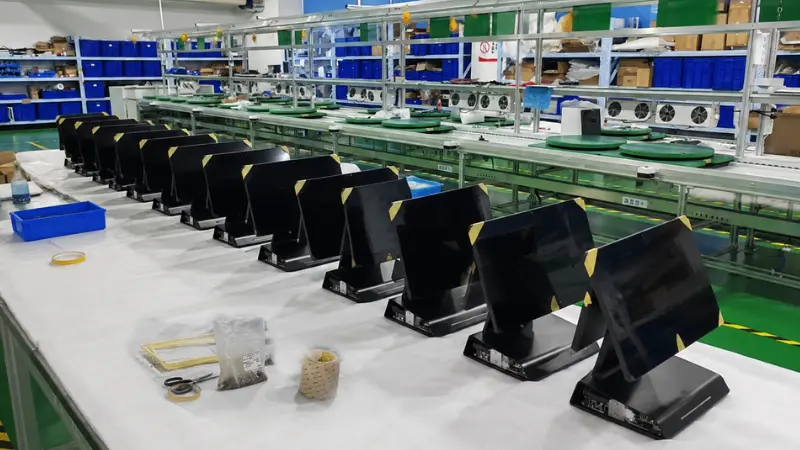
Many POS reliability problems actually begin before the device is installed.
This is where most problems actually start. Not in the field. In the purchasing decision.
Choosing a POS terminal based only on purchase price can create additional costs later through:
- Technical support
- On-site service
- Hardware replacement
- Software troubleshooting
- Customer complaints
- System downtime
For system integrators and distributors, the more useful measurement is often total cost of ownership (TCO) rather than initial hardware cost alone.
A slightly more capable commercial POS platform may cost more initially but reduce long-term maintenance and support requirements.
What Should You Look for in Reliable POS Hardware?
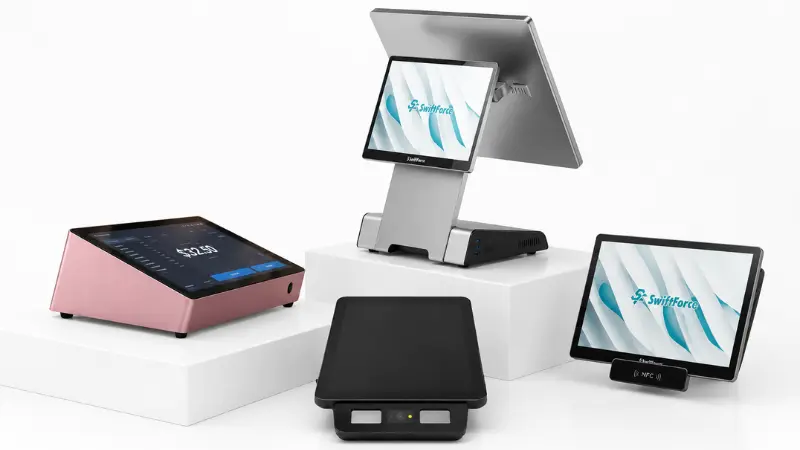
When evaluating commercial POS hardware, several factors should be considered together.
1. Commercial-Grade Touchscreen
The touchscreen should be designed for continuous commercial use rather than simply adapted from a consumer device.
A reliable commercial touchscreen should provide:
- Stable touch response
- Multi-touch capability where required
- Consistent performance during long operating periods
- Reliable touch controller communication
- Appropriate firmware support
For POS applications, touchscreen reliability is particularly important because the display is often the primary interface between the employee and the system.
2. Effective Thermal Management
Thermal design is another important consideration.
Commercial POS hardware should be designed around the expected operating environment.
Depending on the product architecture, this can include:
- Fanless thermal design
- Passive heat dissipation
- Proper internal airflow
- Adequate ventilation
- Thermal testing under continuous workloads
The goal is not simply to keep the processor cool during a short benchmark. The hardware should remain stable during extended real-world operation.
3. Certifications and Compliance
For international POS deployments, product certifications can also be important.
Depending on the target market and configuration, buyers may need to consider certifications such as:
- CE
- FCC
- RoHS
- REACH
- Other market-specific requirements
System integrators should confirm certification requirements before selecting hardware for a specific country or region.
4. Firmware and Driver Support
Hardware reliability does not end when the product leaves the factory.
Firmware and driver support can become particularly important when a POS platform is deployed at scale.
A hardware supplier should be able to provide appropriate:
- Firmware updates
- Touchscreen drivers
- Operating system images
- Hardware documentation
- Technical support
- Compatibility information
This is especially important when the POS hardware needs to work with third-party software and peripherals.
5. OS and Software Compatibility
A POS terminal should not be evaluated based only on whether it technically supports Windows or Android.
The more important question is whether the complete hardware and software stack has been tested together.
For example, a system may need to support:
- POS software
- Payment applications
- Barcode scanners
- Receipt printers
- Label printers
- Customer displays
- Cash drawers
- Network services
- Remote management tools
Testing the complete configuration before mass deployment can significantly reduce compatibility problems in the field.
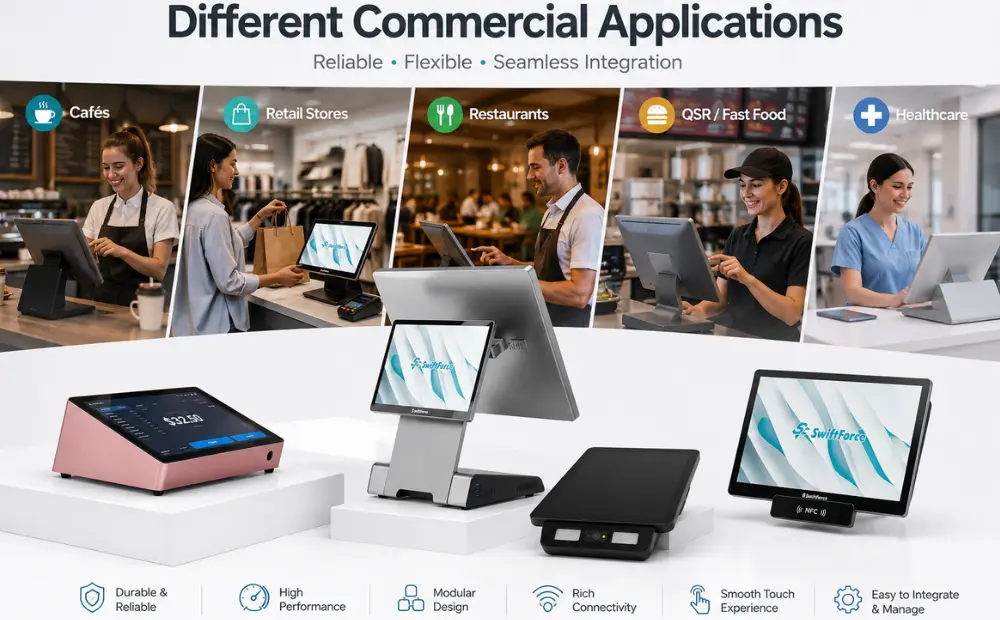
POS Hardware for Different Commercial Applications
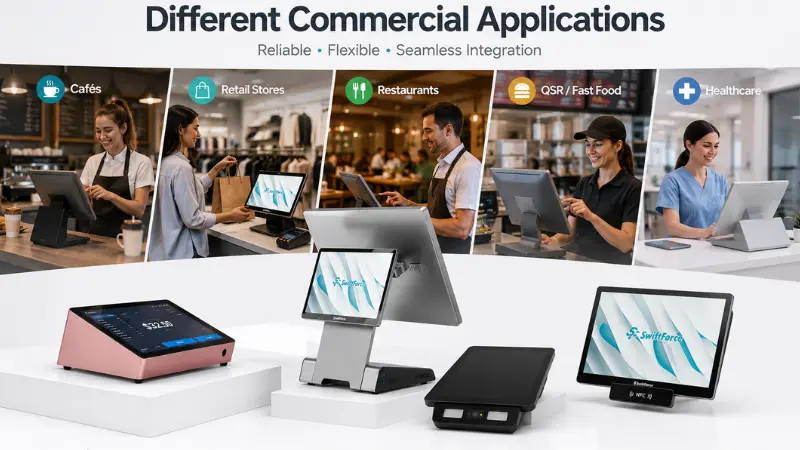
The reliability requirements of POS hardware vary depending on the application.
Retail POS Systems
Retail environments typically require reliable touchscreen interaction, barcode scanning, receipt printing, payment processing, and inventory synchronization.
A commercial POS hardware platform should therefore be capable of handling multiple peripherals while maintaining stable operation throughout the business day.
Self-Service Kiosks
Self-service kiosks place additional demands on touchscreen reliability because customers interact directly with the device.
A self-service kiosk may need to operate continuously with minimal staff intervention.
Hardware selection should therefore consider:
- Continuous operation
- Touchscreen durability
- Thermal management
- Enclosure design
- OS stability
- Peripheral compatibility
- Remote maintenance
Restaurant and Kitchen Display Systems
Restaurants create another demanding environment for commercial hardware.
Kitchen Display Systems (KDS) may operate for long hours while being exposed to heat, moisture, food particles, and frequent touch interaction.
A commercial KDS system should therefore be designed around the actual kitchen environment rather than a typical office environment.
This matters whether you are deploying a self-service kiosk, a kitchen display unit, or a full POS terminal. The environment is commercial. The hardware needs to match.
Why System Integrators Need More Than a Hardware Specification Sheet
For retail technology deployments at scale, a system integrator needs a hardware partner who understands the environment. Not just the spec sheet. The real-world conditions. Heat, dust, constant touch input, long operating hours.
A system integrator should evaluate:
- The POS software requirements
- Operating system compatibility
- Peripheral requirements
- Network environment
- Expected operating hours
- Installation conditions
- Thermal conditions
- Firmware and driver support
- Required certifications
- Long-term supplier support
This approach helps reduce the risk of selecting hardware that looks suitable on paper but creates problems after deployment.
How to Reduce POS System Failures Before Deployment
Preventing instability is usually more effective than troubleshooting it after installation.
A practical pre-deployment process can include the following steps.
Step 1: Test the Complete Software Stack
Install the customer’s actual POS software and required applications on the proposed hardware.
Step 2: Connect All Required Peripherals
Test scanners, printers, payment devices, cash drawers, customer displays, and other peripherals together.
Step 3: Conduct Long-Duration Testing
Run the system continuously rather than relying only on short bench tests.
Step 4: Test Under Realistic Workloads
Simulate peak transaction activity and peripheral usage.
Step 5: Test the Installation Environment
Evaluate the device under the expected temperature, ventilation, mounting, and enclosure conditions.
Step 6: Document the Final Configuration
Record the hardware configuration, OS version, firmware version, drivers, and peripheral settings.
This documentation can significantly simplify technical support when systems are deployed across multiple locations.
POS System Stability Is a Hardware and Deployment Issue
Statista data on global POS system adoption shows the market is growing fast. More deployments mean more opportunities — and more places for reliability issues to show up if you are not careful.
POS system instability is rarely caused by a single factor.
For retail technology deployments at scale, a system integrator needs a hardware partner who understands the environment. Not just the spec sheet. The real-world conditions. Heat, dust, constant touch input, long operating hours. That context has to be built into the product.
We design our hardware — including our KDS units — with these conditions as the baseline, not the edge case.
Choose Commercial POS Hardware for Your Next Deployment
If you are dealing with unstable deployments right now — or you want to make sure your next project does not end up there — we are ready to talk through the specifics.
SwiftForce Electronic Technology provides commercial hardware platforms for POS, self-service, retail, restaurant, and KDS applications.
Visit us to explore our full range of commercial hardware platforms, or reach out to the SwiftForce team directly. Bring your deployment details. We’ll give you straight answers.