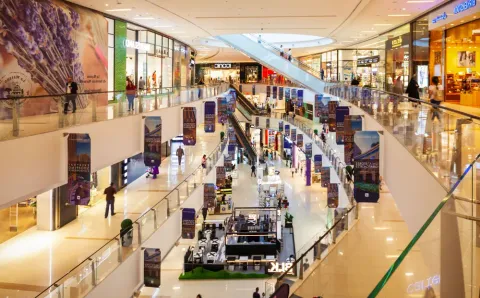
Malls run more smoothly when customers can solve simple tasks on their own. That’s where self-service kiosks come in. With easy-to-use screens, shoppers can place orders, make payments, buy tickets, or get help in just a few taps. The result? Shorter lines, less pressure on staff, smoother crowd flow—and even extra revenue from digital displays and targeted on-screen content.
In this guide, we’ll break it all down for you. You’ll see how mall-ready kiosks actually work, which kiosk types perform best in busy, high-traffic areas, what it really costs to roll them out, and how to choose hardware that fits your space, operations, and technical needs—without overcomplicating things.
What Is a Mall Kiosk? Definition, Footprints & Typical Utilities
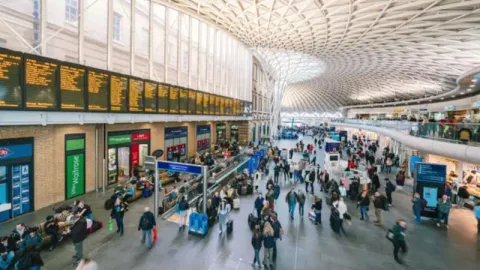
A mall kiosk is basically a self-service screen you see in busy parts of a shopping mall. It allows visitors to quickly complete tasks on their own—no need to wait for staff. Shoppers can use it for directions, ordering, payments, service check-ins, browsing products, managing queues, or simply finding information with a few taps.
For mall operators, these kiosks make a big difference. They help keep foot traffic moving smoothly, take pressure off customer service teams, and give shoppers a faster, more consistent, and more interactive experience throughout the mall.
Typical Size and Footprint
Most digital kiosks don’t take up much space. They usually need just 2–6 square feet, so they’re easy to place in walkways, entrances, service areas, or food courts without getting in the way. The exact size depends on things like screen size, kiosk design, accessibility needs, and where power and network connections are located.
When deciding where to install kiosks, mall operators focus on spots that naturally get attention—places where people pause, look around, or decide where to go next. High visibility and longer dwell time make these locations ideal for self-service kiosks.
Essential Utilities and Setup Needs
Every self-service kiosk requires core technical utilities to operate reliably:
- Power supply for the display, processor, and internal components.
- Stable network connection via Wi-Fi or Ethernet for real-time updates.
- Secure payment hardware for ordering or checkout-enabled units.
- ADA-compliant height and screen angle for accessibility.
- Mounting or enclosure stability for high-traffic mall environments.
- Remote management capability for monitoring, updates, and diagnostics.
Some models also integrate printers, barcode scanners, NFC readers, cameras, or dual screens, depending on the use case.
Types of Mall Kiosks (with Examples & Best-Use Cases)
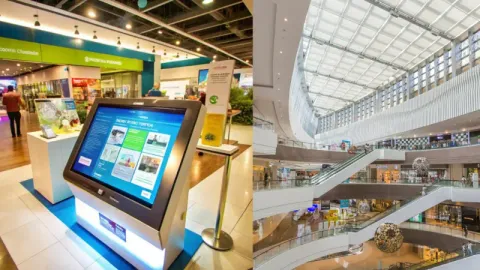
Mall self-service kiosks come in many forms, each built for a specific customer task. The right type depends on your mall’s goals.
Below are the most common digital kiosk types, their uses, and where each fits best.
Wayfinding & Directory Kiosks
These kiosks guide visitors with maps, store directories, and turn-by-turn routes. They help shoppers find stores fast and reduce pressure on mall staff. Ideal for large malls with complex layouts.
Ordering Kiosks
Ordering kiosks let visitors place food, ticket, or service orders without waiting in line. They boost speed and improve throughput. They work best near food courts, cinemas, and high-traffic hubs.
Loyalty & CRM Kiosks
These kiosks allow shoppers to sign up for rewards, check points, or redeem digital offers. They support mall-wide promotions and help operators grow customer data. Perfect for malls with active loyalty programs.
Ticketing & Queue-Management Kiosks

These kiosk units issue tickets, manage virtual lines, and direct visitors to service desks or event areas. They reduce wait times and deliver smoother customer flow. They perform well in customer service zones or entry points.
Information Kiosks
Information kiosks answer common visitor questions, display mall hours, highlight promotions, and provide event details. They act as digital help desks. Best placed at entrances and atriums.
Payment & Parking Kiosks
These kiosks accept parking fees, bill payments, and service charges. They cut long lines and keep transactions moving. They work well in parking lobbies, exits, and transit corridors.
Advertising & Digital Signage Kiosks
Ad kiosks display promotions, brand campaigns, and mall announcements. They generate ad revenue and lift visibility for tenants. Ideal for walkways with heavy footfall.
Self-Service Returns & Locker Kiosks
These units allow shoppers to make quick returns or pick up online orders from secure lockers. They support click-and-collect and reverse logistics. Best for omnichannel malls and large retailers.
Type Comparison Table
| Type | Typical Use | Footprint | Typical Revenue Model | Best For |
|---|---|---|---|---|
| Wayfinding / Directory | Maps, navigation | 5–15 sq ft | Per-install or service fee | Mall operators |
| Ordering Kiosk | Food or service orders | 5–20 sq ft | Service fee + upsell impact | Food courts, cinemas |
| Loyalty / CRM Kiosk | Rewards signup | 5–12 sq ft | Subscription or service fee | Malls with loyalty programs |
| Ticketing / Queue | Manage lines | 5–15 sq ft | System fee | Service desks |
| Information Kiosk | Visitor info | 5–15 sq ft | Per-install fee | Entrances, atriums |
| Payment / Parking | Payments | 5–10 sq ft | Transaction fee or lease | Parking areas |
| Ad / Digital Signage | Promotions | 5–20 sq ft | Ad revenue share | Walkways |
| Returns / Locker | Item pickup/returns | 10–30 sq ft | Lease or commission | Omnichannel retailers |
Who Should Choose Which Type
- Mall operators: Add wayfinding, payment, and ad kiosks to improve flow and revenue.
- Food courts & cinemas: Use ordering kiosks to speed up service.
- Retailers: Deploy loyalty, digital catalog, or locker kiosks for better engagement.
- Omnichannel brands: Use pickup/return kiosks to support online buyers.
Mall Kiosk Cost (Rent, Build, Tech, Operating Expenses)
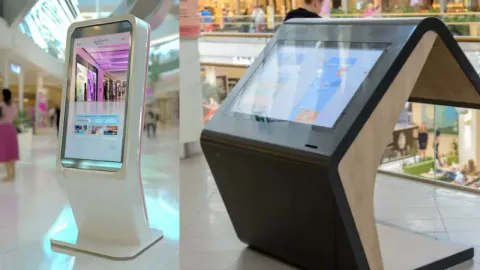
Self-service kiosk costs vary based on hardware type, screen size, software needs, and installation complexity. For mall operators, understanding each cost layer helps create accurate budgets and plan long-term deployment.
Hardware Costs (Kiosk Unit Price)
Hardware is the largest upfront cost. Most commercial self-service kiosks range from $2,500 to $15,000 per unit, depending on:
- Screen size: Larger displays cost more.
- Features: Printers, scanners, and payment devices add to the cost.
- Body style: Wall-mounted units cost less than freestanding units.
- Durability: Higher-grade materials raise prices.
Always confirm warranty options and replacement part availability before purchase.
Installation & Setup Costs
Installation includes mounting, wiring, and physical placement. Typical ranges:
- Basic install: $200–$800 per unit.
- Freestanding units: $500–$1,500 depending on space needs.
- ADA adjustments: Additional brackets or mounts.
- Calibration: Setup for touchscreens, printers, or sensors.
Higher costs apply when drilling, electrical upgrades, or custom placement are needed.
Software & Licensing Costs
Digital malls rely on software plans to run kiosks. Expect:
- Core software license: $30–$150/month per unit.
- Directory or wayfinding software: $50–$300/month.
- Payment system fees: Depending on the provider.
- Remote monitoring tools: $10–$50/month.
Look for auto-updates and cloud support to reduce manual servicing.

Networking & Power Costs
Every kiosk needs a stable connection and power. Costs include:
- Wi-Fi or Ethernet setup: $50–$200 per unit.
- Cable routing: $100–$400 depending on distance.
- Power supply upgrades: $100–$300 if new outlets are needed.
- Battery backup (optional): $50–$150.
Confirm network security requirements with your IT team.
Maintenance & Support Costs
Kiosks need regular upkeep to stay functional. Ongoing costs include:
- Annual maintenance: $150–$500 per unit.
- Parts replacement: Printers, card readers, and sensors.
- Cleaning & screen care: $10–$20/month.
- Software updates: Often covered in subscriptions.
- Extended warranty: Optional but common.
Plan for both preventive and on-demand service.
Optional Add-Ons & Accessories
Add-ons increase functionality based on mall goals. Examples include:
- Receipt printers: $200–$600.
- Barcode or QR scanners: $100–$400.
- NFC readers: $100–$300.
- Cameras for analytics: $200–$800.
- ADA components: $50–$200.
- Custom branding: $100–$500.
Choose add-ons based on use case, not aesthetics alone.
Example of Total Cost of Ownership (Indicative Range)
| Expense | Estimated Range (USD) |
|---|---|
| Hardware | $2,500 – $15,000 |
| Installation | $200 – $1,500 |
| Software & Licenses | $30 – $300/month |
| Networking Setup | $50 – $400 |
| Maintenance | $150 – $500/year |
| Optional Add-Ons | $100 – $800 |
Always plan long-term budgets around the total cost of ownership. Most malls keep annual operating costs lower than 10–15% of the kiosk’s original hardware price.
Advantages of Self-Service Kiosks for Mall Operators and Visitors
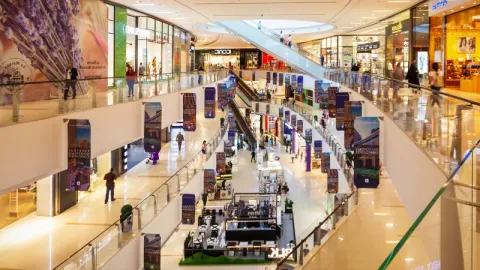
Self-service kiosks bring clear advantages to malls that adopt them. They improve visitor experience, reduce costs, and open new revenue channels. Below are the main benefits of installing digital kiosks in a mall environment.
1. Faster Customer Service & Reduced Waiting Time
Self-service kiosks help visitors find stores, pay for parking, order food, or get tickets — all without waiting in line. They cut queues and speed up service, especially during peak hours. Kiosks reduce service time and let visitors move on faster.
2. Lower Staff Costs & Operational Efficiency
Many routine tasks…navigation assistance, payments, information queries are moving to kiosks. That lets you reduce front-desk staffing or reassign staff to higher-value roles. Malls using kiosks report lower labor overhead and more consistent service quality.
3. Real-Time Data & Analytics for Smarter Management
Digital kiosks collect data on foot traffic, popular services, peak hours, and user behavior. This data helps mall operators optimize staffing, promotions, store mix, and mall layout. It delivers insights that manual counters can’t match.
4. Higher Visitor Satisfaction & Better Experience
Kiosks give visitors control. They can find what they need, complete tasks at their own pace, and avoid lines. This convenience and speed boost overall visitor satisfaction. Kiosks support multiple languages and easy-to-use interfaces, making malls more inclusive and user-friendly.
5. Reduced Congestion & Improved Mall Traffic Flow
By distributing services across kiosks (wayfinding, ordering, payments), malls reduce bottlenecks at front desks or customer service counters. This improves traffic flow, lowers crowding, and enhances the overall mall environment — especially during busy periods.
New Revenue Streams (Advertising & Upselling Opportunities)
Digital kiosks double as advertising or promotion platforms. Malls can sell screen ad space to brands or tenants. Kiosks can also upsell, for example, suggesting add-ons or upgrades at ordering kiosks.
How Digital & Self-Service Kiosks Are Transforming Mall Retail
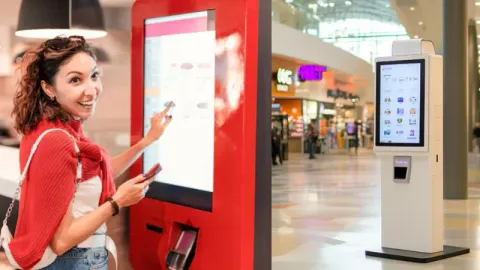
Mall retail is changing fast. Today, digital and self-service kiosks do more than just take orders—they help shoppers find their way, get information, and interact with brands on their own terms.
Behind the scenes, these kiosks automate everyday tasks while collecting useful data. Every tap, order, or search becomes a clear data point, helping retailers understand customer behavior and improve the shopping experience.
Practical Digital Use Cases
Self-service kiosks enable order and payment, manage queues, and guide visitors through interactive wayfinding. Retailers also use them for lead capture, loyalty sign-ups, and product recommendations. Malls benefit from reduced staffing needs and smoother traffic flow during peak hours.
Integration & Data Management
A reliable digital kiosk system connects seamlessly with back-end tools.
- Payment security: Must comply with PCI DSS standards.
- Inventory sync: Real-time updates ensure accurate stock visibility across all sales channels.
- Analytics: Built-in dashboards allow operators to track usage, sales, and dwell time.
- Remote management: Enables software updates and troubleshooting without downtime.
Design & Operational Considerations
Where you put the screen, how bright it is, and making sure it’s accessible to everyone really matters. A reliable network keeps it running smoothly, and an easy-to-use interface makes people want to come back and use it again.
Why SwiftForce Stands Out
SwiftForce digital kiosks are built on modular hardware that simplifies maintenance and upgrades. Durable materials withstand heavy daily use, while swap-in components minimize downtime. Each model supports payment, POS, and CRM integration, giving mall operators a unified retail solution.
Common Challenges & How to Overcome Them
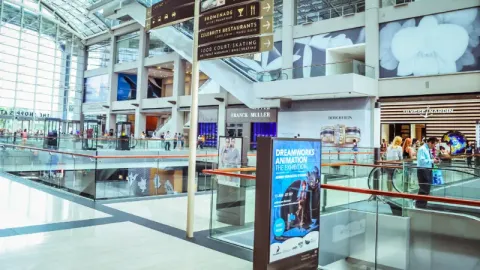
Even well-planned self-service kiosks face technical and operational hurdles. Mall operators who understand these issues early can keep machines running smoothly and maintain a strong visitor experience. Here are the most common challenges and clear ways to handle them.
1. Hardware Uptime and Durability
Kiosks can face wear, heavy use, or environmental stress. Any hardware issue can stop the service.
Solution: Use commercial-grade enclosures and components. Choose kiosks with modular parts so teams can replace items quickly without long downtime.
2. Software Integration Issues
Kiosks must connect with maps, payment systems, parking apps, or tenant data. Poor integration slows performance.
Solution: Pick kiosks that support open APIs and stable cloud systems. Test all integrations before deployment. Keep software updated on a set schedule.
3. Poor Placement and Low Visibility
If visitors cannot see a kiosk, they will not use it. Bad placement reduces engagement and ROI.
Solution: Place kiosks in high-flow areas such as entrances, atriums, and food courts. Use clear signage and lighting so visitors notice them instantly.
4. ADA and Accessibility Compliance
Kiosks must be usable for all visitors, including those with mobility or vision needs.
Solution: Choose ADA-friendly designs with correct screen height, reachable buttons, and audio options. Test layouts with actual users before full rollout.
5. Power and Network Stability
Kiosks rely on steady internet and power. Any drop can stop payments, maps, or on-screen content.
Solution: Use dedicated circuits and stable Wi-Fi or wired connections. Add backup power options where needed. Monitor networks in real time.
6. Security and Vandal-Resistance
Public kiosks can face tampering, theft attempts, or screen damage.
Solution: Use tamper-proof cases, lockable panels, and impact-resistant screens. Enable remote lockout features to secure the system during incidents.
7. Content and Software Updates
Outdated maps, promotions, or menus create confusion and hurt the visitor experience.
Solution: Maintain a content schedule. Assign a team member to update screens, tenant lists, and service info weekly. Use cloud tools for fast remote updates.
How to Choose the Right Mall Kiosk Setup (Decision Checklist & Shortlisting)
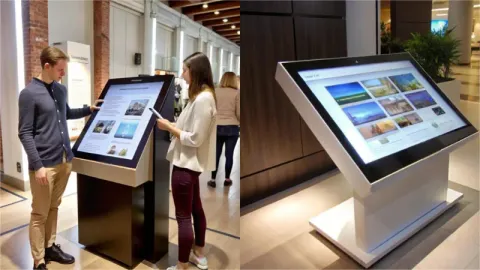
Choosing the right self-service kiosk setup affects uptime, shopper flow, and revenue potential. A clear evaluation process helps mall operators avoid costly mistakes and match hardware to the mall’s real needs. Use this checklist before approving a vendor or deployment.
1. Define the Use Case and Core KPI
Decide if the kiosk is for wayfinding, ticketing, ordering, payments, or service requests.
Set goals for speed, usage rate, and uptime.
2. Match Kiosk Type to Traffic Patterns
Choose based on where shoppers pause, queue, or seek help.
Review footfall heatmaps to confirm ideal placement and screen height.
3. Evaluate Mall Location Metrics
Check visibility from main corridors and anchor pathways.
Confirm peak traffic times and line-of-sight from a distance.
4. Check Space and Technical Requirements
Verify power, network stability, and cable routing.
Confirm mounting needs—free-standing, wall-mounted, or counter-top.
5. Create a Design and Branding Brief
Ensure screen size, brightness, and signage follow mall rules.
Include anti-tamper needs and cleaning access.
6. Specify the Required Software Integrations
Confirm support for payments, loyalty, maps, menus, or booking tools.
Check if the kiosk can link to your CRM or analytics system.
7. Build a Financial Model
Separate hardware, software, and service fees.
Estimate ROI using expected usage, ad revenue, and maintenance costs.
RFP Essentials (Ask These Questions From Your Vendors)
- What is the warranty and expected repair time?
- Do you offer on-site support or remote only?
- Which payment methods and integrations are supported?
- Can you share mall-specific case studies or active deployments?
Final Take: Modernize Your Mall With Smarter Self-Service
Self-service kiosks help malls move faster, cut pressure on staff, and give shoppers a smoother experience. The right hardware and software keep uptime high and support your long-term digital goals. SwiftForce kiosks offer modular builds, stable performance, and easy upgrades.
Explore the Right Self-Service Kiosk for Your Mall
Learn more about SwiftForce and our full range of self-service solutions on our website.To request the SwiftForce Self-Service Kiosk Spec Sheet or discuss deployment options for your mall, connect with our team.