
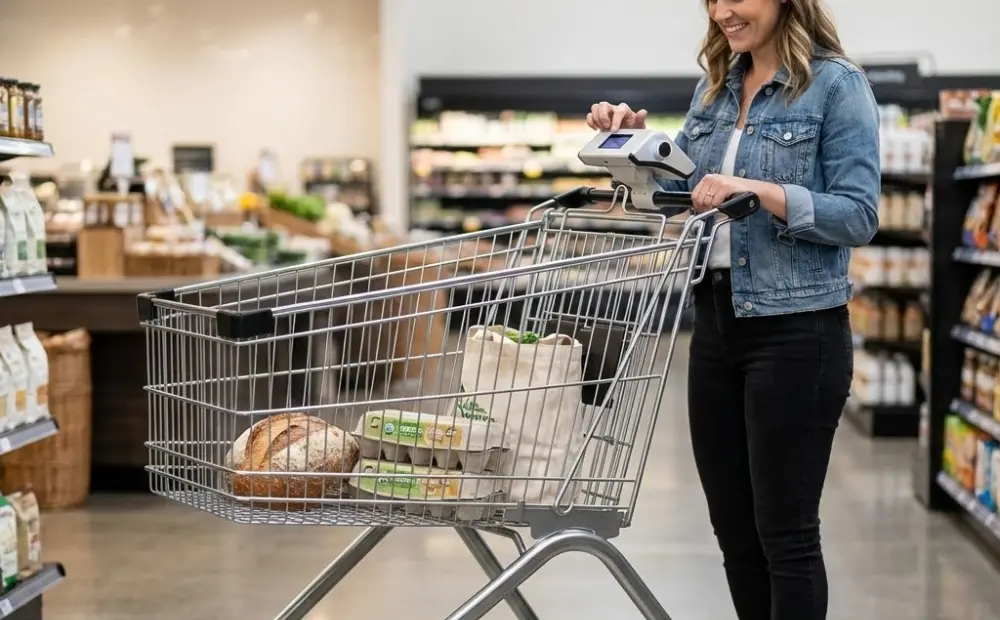
You added self-checkout to reduce lines. Now you manage a different kind of chaos. Errors slow every lane. Staff rush from screen to screen. Shoppers lose patience and walk away. Large baskets still head to staffed lanes. The promise of speed falls short during peak hours. This forces retailers to look for better options. Smart grocery carts offer a new approach. They remove the need for a checkout stop. This article explains where self-checkout breaks down, how smart carts work, and what impact they have on operations, revenue, and store flow.
Why Self-Checkout Is Breaking the Grocery Experience (And Not An Ideal Option Anymore)
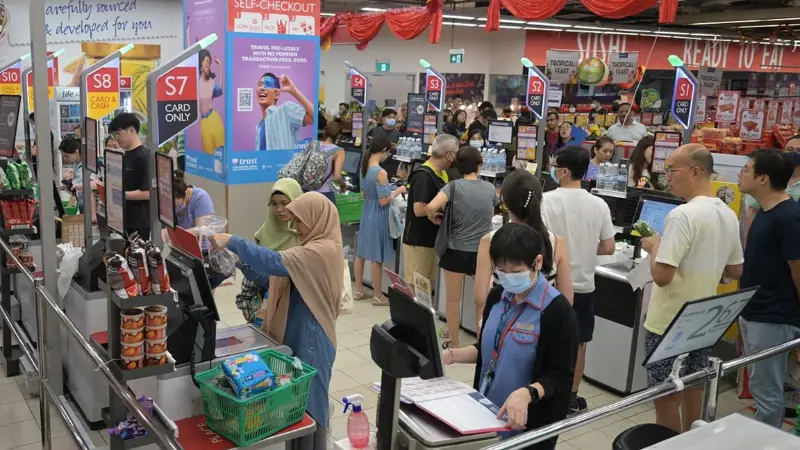
Self-checkout reduces lines and cuts labor, but it still does not solve the core problem. It moved work from staff to shoppers and added new points of failure. Store teams now manage machines rather than serve customers. The result is slower flow, more frustration, and less value per visit.
High Error Rates Create Bottlenecks at Scale
Small errors add up fast. One failed scan can stop the whole lane. Barcode misreads are common. Weight checks trigger false alerts. The system often flags an item as “unexpected item” even when it is correct. Each issue needs staff approval. One assistant handles four to six kiosks. That creates a queue within the queue. Throughput drops when traffic rises.
Peak Hours Turn Kiosks into Congestion Zones
During busy hours, self-checkout loses its edge. Instead of one line, you get a cluster of stalled kiosks.
- Shoppers wait for free machines
- Active users pause for help
- Staff move between screens
This setup does not scale under pressure. It cannot process large baskets fast. Flow slows at the exact time you need speed.
Labor Does Not Go Away → It Shifts
“Self” checkout still needs people. Stores assign staff to keep lanes moving. They conduct age checks, correct errors, and monitor for theft. This is not true labor savings. It is a shift from cashier work to support work. You still pay for coverage at the front end.
Friction Drives Abandonment and Smaller Baskets
Shoppers feel the strain and change their behavior.
- Many avoid kiosks with full carts
- Some switch lanes mid-trip
- Others leave items to speed up exit
This leads to smaller baskets and lost sales. Poor experiences also reduce repeat visits.
What Are Smart Grocery Carts? Core Components & How It Changes Checkout
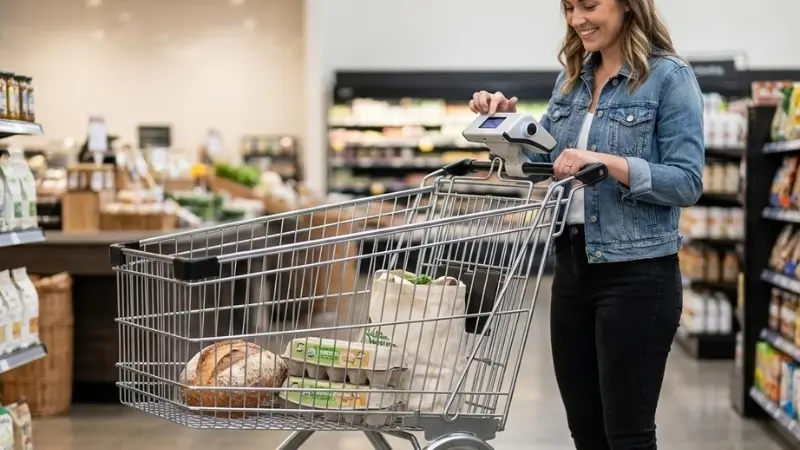
Smart grocery carts shift checkout into the shopping trip. The cart tracks each item as the shopper adds it. It keeps a running total and prepares the bill in real time. The shopper does not stop at a POS at the end. Payment happens in the cart or at exit with a quick confirmation. This reduces front-end pressure and keeps flow steady across the store.
What Powers the Cart: Core Components That Make It Work
These parts handle accuracy, speed, and ease of use:
- Built-in scanner: Captures each item as it goes in
- Weight sensor: Confirms the item matches the scan
- Camera (advanced setups): Adds a second check for high-risk items
- Touchscreen: Shows total, items, and simple prompts
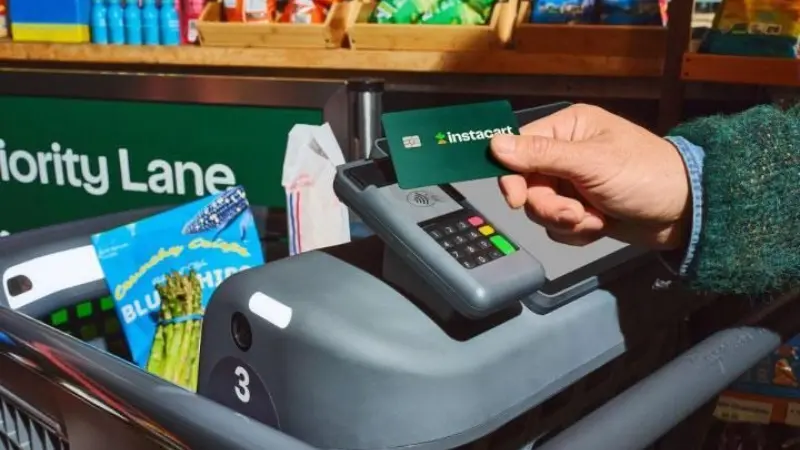
- Payment link: Card tap on cart or app sync for quick pay
Together, these parts reduce errors and limit the need for staff help.
Smart Cart Changes The Checkout Process
The shopper scans items, or the cart detects them, while shopping. The total updates with each add or remove. The cart stays in sync with pricing and offers. At the end, the shopper pays within seconds or walks out with an auto-charge. There is no checkout line.
How AI-Powered Shopping Carts Enable Frictionless Retail
Smart carts do not rely on one system. They combine multiple simple systems that work together. Each part checks the other in real time. This reduces errors and keeps the process smooth. The goal is simple: let shoppers move without stopping. That is what frictionless retail means in practice.
Product Recognition: Barcode First, Vision as Backup
Most carts rely on a simple method first. The shopper scans the item. The system records it. This keeps costs low and accuracy high.
Some setups add a second layer for validation:
- Cameras check the item after scan
- The system compares shape and size
- It flags mismatches in real time
Research shows that combining vision with other signals improves tracking and accuracy in retail systems. This reduces both missed scans and misuse without slowing the shopper.
Sensor Fusion Improves Accuracy Without Slowing the Shopper
Smart carts do not trust one input. They combine multiple checks at the same time:
- Weight sensor confirms item placement
- Scan confirms product identity
- Camera adds visual validation
This layered approach reduces common issues:
- Missed scans
- Item swaps
- Intentional misuse
Studies on autonomous retail systems show that multi-sensor setups improve reliability and reduce errors at checkout . The result is fewer interruptions and less need for staff help.
Cloud-Connected Cart Runs a Real-Time Checkout Engine
The cart connects to the store system at all times. It pulls live pricing and updates totals instantly. It also applies offers without delay.
Recent research shows that AI-driven carts use real-time data and cloud processing to improve tracking, inventory accuracy, and the customer experience. This gives retailers control across all carts in the store. It also keeps pricing and billing consistent.
Payment Happens Instantly, Not at a Counter
Payment does not require a stop at the front. The cart supports simple options:
- Mobile wallets or saved cards
- Tap-to-pay on the cart
- App-based checkout
- Automatic billing at exit
Systems like RFID-enabled carts already support automatic billing and real-time totals without a cashier. This removes the final step that slows most stores.
Frictionless retail technology means one thing in practice: no checkout stop.
Smart Carts vs. Self-Checkout: Which Wins for Grocery Stores?
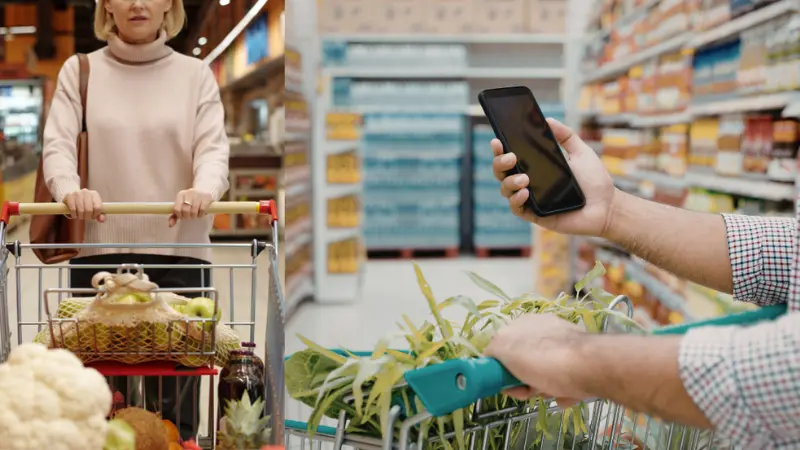
Both options aim to speed up checkout. Only one removes it from the front end. The difference shows up in daily store operations, not just in theory. Here is how they compare across key areas.
Customer Experience: Continuous vs Task-Heavy
Smart carts keep the trip simple. Shoppers add items and see the total right away. They do not stop to scan everything at the end.
Self-checkout adds work at the worst moment. Shoppers scan, bag, fix errors, and wait for approval. This creates stress, especially with full carts.
Checkout Speed and Throughput: Distributed vs Bottleneck
Smart carts spread checkout across the store. Each shopper handles their own cart during the trip. There is no final queue.
Self-checkout pulls everyone to one area. Lines form during peak hours. One delay affects many shoppers.
Store Congestion and Layout Impact
Smart carts reduce pressure at the front. Fewer people gather near exits. Stores can use that space for displays or fast lanes.
Self-checkout creates clusters. Machines take space. Queues block movement near the entrance.
Error Rates and Staff Intervention
Smart carts use multiple checks during the trip. Issues get caught early. Staff step in less often.
Self-checkout stops often. Errors trigger alerts. Staff must approve many actions, which slows the line.
Labor Efficiency: Reassign vs Supervise
Smart carts free staff for the floor. Teams can help customers, restock, and manage aisles.
Self-checkout still needs close watch. Staff move between machines and fix problems.
Quick Comparison at a Glance
| Factor | Smart Carts | Self-Checkout |
|---|---|---|
| Customer experience | Smooth, no final step | Task-heavy, error-prone |
| Checkout speed | No queue, continuous flow | Lines form at peak hours |
| Store congestion | Less crowding at the front | Clusters near kiosks |
| Error handling | Fewer interruptions | Frequent overrides |
| Labor use | Staff support the floor | Staff tied to machines |
Where Smart Carts Fit Among Automated Checkout Solutions
Automated checkout comes in many forms. Each option has trade-offs in cost, speed, and shopper experience. Retailers must balance infrastructure, staff needs, and customer satisfaction when choosing a solution. Smart carts provide a middle path that delivers speed without a major store redesign.
Self-Checkout Kiosks: Low Cost, High Friction
Kiosks are familiar to shoppers and easy to install. They require minimal setup and limited infrastructure.
However, they introduce friction:
- Shoppers must scan and bag items manually
- Errors trigger alerts that stop the lane
- Staff must supervise multiple machines
This keeps checkout slow during peak hours despite low upfront cost.
Cashierless Stores: High Cost, Complex Infrastructure
These stores rely on cameras and ceiling sensors to track items automatically.
They offer fully frictionless checkout.
But they are expensive to deploy:
- Store redesign is often required
- Cameras and sensors need ongoing calibration
- Scaling across multiple locations is challenging
Smart Grocery Carts: Balanced Approach
Smart carts need less infrastructure than cashierless stores. They keep checkout inside the shopper’s trip. Staff do not need to monitor every machine.
- Faster rollout across multiple stores
- Better shopper experience than kiosks
- Lower upfront cost than a full cashierless deployment
Smart carts deliver frictionless retail without the cost and complexity of full cashierless stores. They combine speed, ease of use, and manageable infrastructure.
Benefits of Smart Carts for Grocery Retailers
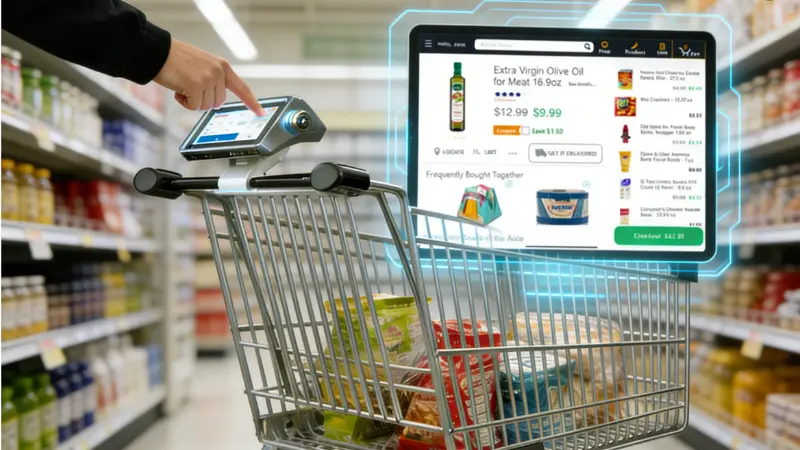
Smart carts do more than remove checkout lines. They improve operations, increase sales, and give staff flexibility. Retailers see measurable gains in throughput, basket size, and customer satisfaction. They also collect valuable data that guides better decisions. Here are the main benefits.
Faster Checkout Means More Shoppers Per Hour
Smart carts let customers scan and pay during their trip. Ther e is no final queue. This increases throughput. Stores can process more shoppers without adding staff. Lines do not slow down traffic. Peak hours no longer cause bottlenecks.
Larger Baskets and Higher Revenue
Shoppers see running totals in real time. This reduces hesitation about overspending. Stores can display in-cart promotions that encourage extra purchases. Large baskets are easier to handle without slowing down checkout. The result is higher revenue per visit.
Smarter Staff Allocation, Not Just Less Labor
Smart carts reduce the need for staff at checkout. Employees can move to tasks that add value:
- Shelf replenishment
- Customer assistance
- Handling exceptions elsewhere
Staff spend less time fixing errors and more time supporting shoppers.
Smoother Store Traffic and Flow
Checkout no longer clogs the front end. Aisles stay clear. Shoppers move freely from section to section. Reduced congestion improves the overall shopping experience. It also makes stores safer and more comfortable.
Real-Time Data and Shopper Insights
Carts track shopper behavior throughout the trip. Data points include:
- Paths taken in the store
- Time spent in each section
- Product interaction patterns
Retailers can use this data to improve merchandising, adjust product placement, and optimize pricing. Insights drive better decisions and boost overall store performance.
Smart carts combine operational efficiency, higher sales, and actionable data into one solution. They transform both the shopper experience and store operations.
Contactless Payment Systems and Seamless Checkout
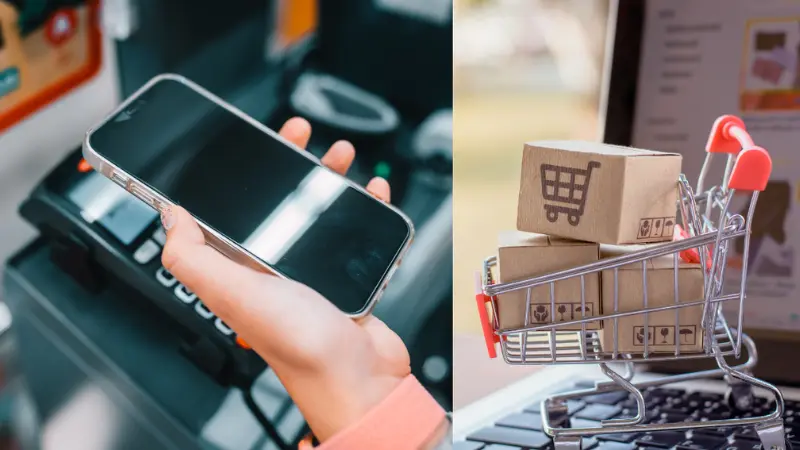
Smart carts combine checkout and payment in one step. Shoppers do not wait at a counter. Payments happen as part of the shopping journey, reducing friction and improving the experience. Contactless systems are key to making this fast, safe, and reliable.
Payment Flexibility Inside the Cart
Carts support multiple ways to pay. Shoppers can use:
- Mobile wallets for instant payment via phone
- Card tap for quick card transactions
- App-based checkout for stored payment methods
This flexibility ensures shoppers can complete payment the way they prefer.
Exit-Based or In-Cart Payment Models
Some stores let shoppers pay directly in the cart. Others detect items at exit and auto-charge. Both approaches remove the need for traditional checkout lanes. This prevents congestion and keeps lines moving.
Why Contactless Checkout Matters
Contactless payment speeds up the trip. Shoppers complete transactions in seconds. It also improves hygiene, a priority since the pandemic. Less handling and fewer stops reduce friction, encouraging shoppers to finish their purchase. Faster, smoother checkout increases basket completion and improves customer satisfaction.
Why Smart Grocery Carts Are Gaining Momentum Now
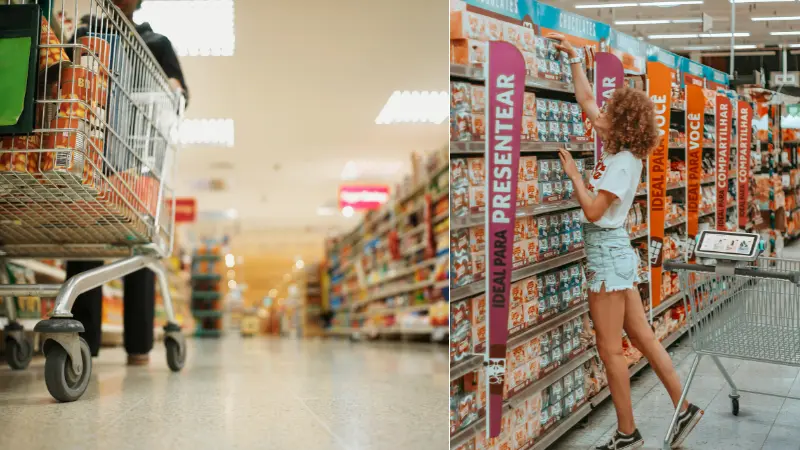
Retailers face multiple pressures that make smart carts appealing. Labor is scarce, and wages keep rising. Shoppers expect faster, smoother trips. Competitors experiment with new tech. Stores also demand measurable returns from any investment. Together, these forces drive rapid adoption of smart grocery carts.
Labor Shortages and Rising Wages
Finding and keeping trained cashiers is increasingly difficult. Minimum wages are rising in many regions, adding cost pressure. Smart carts reduce reliance on front-end staff without removing jobs entirely. Instead, staff can focus on high-value tasks like customer assistance and shelf replenishment. Studies show automation can improve throughput while maintaining service quality.
Customer Expectation Shift: Speed and Control
Shoppers now prioritize speed, transparency, and convenience. They avoid crowded kiosks and long waits. Smart carts let them scan, track totals, and pay without stopping. This satisfies modern consumer preferences and enhances satisfaction.
Competitive Pressure Among Grocery Chains
Early adopters of smart carts gain a visible edge. Technology becomes part of the store’s brand experience. Stores that implement frictionless solutions attract repeat customers and positive reviews, pressuring competitors to follow.
Need for Measurable ROI
Retailers now require technology to deliver clear business value. Smart carts provide faster throughput, larger baskets, and better staff utilization. Each deployment can be measured for labor savings, revenue uplift, and operational efficiency. This makes investment decisions easier and reduces risk.
Smart carts hit the sweet spot: they address labor, customer expectations, competition, and ROI simultaneously, explaining why adoption is accelerating across the grocery industry.
The Future of Grocery Retail And Smart Carts
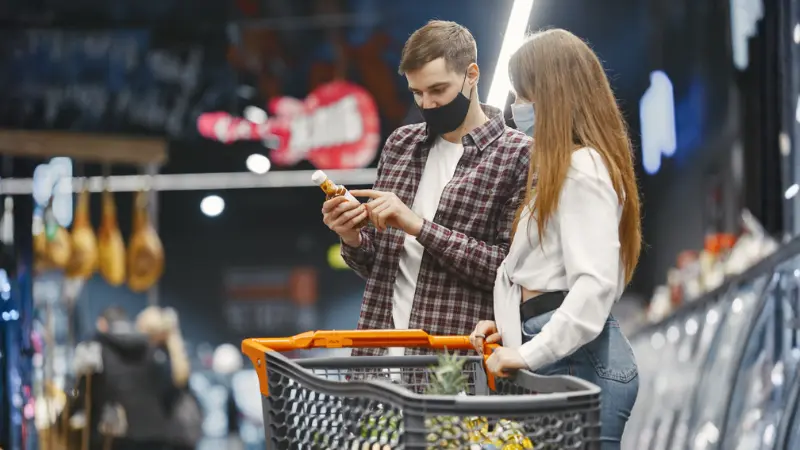
Research has shown that the grocery store of tomorrow minimizes stops and lines. Checkout moves into the shopping journey itself. Smart carts act as the foundation for this shift. They integrate with other technologies to create seamless experiences for both shoppers and staff.
Hybrid Checkout Models Will Dominate
Future stores will mix smart carts, self-checkout kiosks, and staffed lanes. Each option serves a purpose: carts handle full baskets, kiosks manage quick trips, and staff assist as needed. This hybrid approach balances speed, convenience, and human touch.
AI-Driven Store Ecosystems
Carts will connect with shelves, inventory systems, and POS in real time. Stores will gain intelligence on product availability, shopper flow, and demand trends. AI-driven insights allow staff to act proactively and optimize operations. Retailers can adjust displays, restock faster, and prevent bottlenecks before they happen.
Personalization Inside the Cart
Smart carts will deliver tailored experiences. Offers and promotions appear based on shopping behavior. The cart can guide customers through aisles efficiently. Shoppers get relevant suggestions, while retailers increase basket size and engagement.
By embedding checkout inside the cart and connecting it to the wider store ecosystem, retailers lay the foundation for truly frictionless grocery shopping. Smart carts are the cornerstone of next-generation grocery stores.
FAQs About Smart Grocery Carts
What are smart grocery carts?
Smart grocery carts are AI-powered shopping carts that track items as shoppers add them. They calculate totals in real time and allow payment without stopping at a traditional checkout.
How do AI-powered shopping carts work?
These carts combine barcode scanning, weight sensors, and cameras to detect items. They sync with store systems for pricing, promotions, and inventory. Payment happens through the cart or a connected app.
Are smart carts better than self-checkout?
For many stores, yes. They reduce queues, lower error rates, and improve customer experience. Unlike kiosks, checkout occurs throughout the shopping journey rather than at a fixed point.
Do smart carts require scanning items?
Some setups still use barcode scanning, but many use hybrid systems. Cameras and sensors can automatically detect items, reducing manual steps for shoppers.
Are smart grocery carts expensive for retailers?
They cost more than a self-checkout kiosk but less than a full cashierless store. ROI often comes from faster throughput, higher basket sizes, and better staff allocation. Many chains find the investment pays off in under two years.
Final Take: Smart Carts Are A Necessity
Take the next step in modernizing your grocery store. Smart carts reduce lines, boost basket size, and give real-time insights.
They also allow staff to focus more on customer service instead of spending most of their time managing checkout pressure. With smart cart technology, supermarkets can improve daily operations without making expensive store redesigns.
Ready to Upgrade Your Grocery Shopping Experience?
Experience how frictionless checkout transforms the way both shoppers and staff work. Explore SwiftForce smart carts today and see how your store can run faster, more smoothly, and more efficiently without costly redesigns.